

iSCSI
-
Posts
19 -
Joined
-
Last visited
-
Days Won
2
Posts posted by iSCSI
-
-
Hi,
if i purchase the Windows 10 App is the Traditional Win32 App also unlocked??
Thanks!
-
Glad to hear that!
Thanks for clarification
-
 1
1
-
-
On 19.1.2017 at 9:34 PM, Tobias S. said:
They don't seem to care about it..
I think you're right.
Absolutely unbelievable .....-
1
-
-
Dear Enpass Team,
please fix this f*cking Bug! Or give us at least one answer.
This can't be so hard....

-
1
-
-
This problem exists since April
See my post
"Hi, here the same Windows 10 x64 with german keyboard layout.
Another Shortcut dont resolves the problem.
I think the shortcut is not the problem. I get the same behavior with a mouse click on the Browser Addin"
-
New Beta, same problem!
-
Hi,
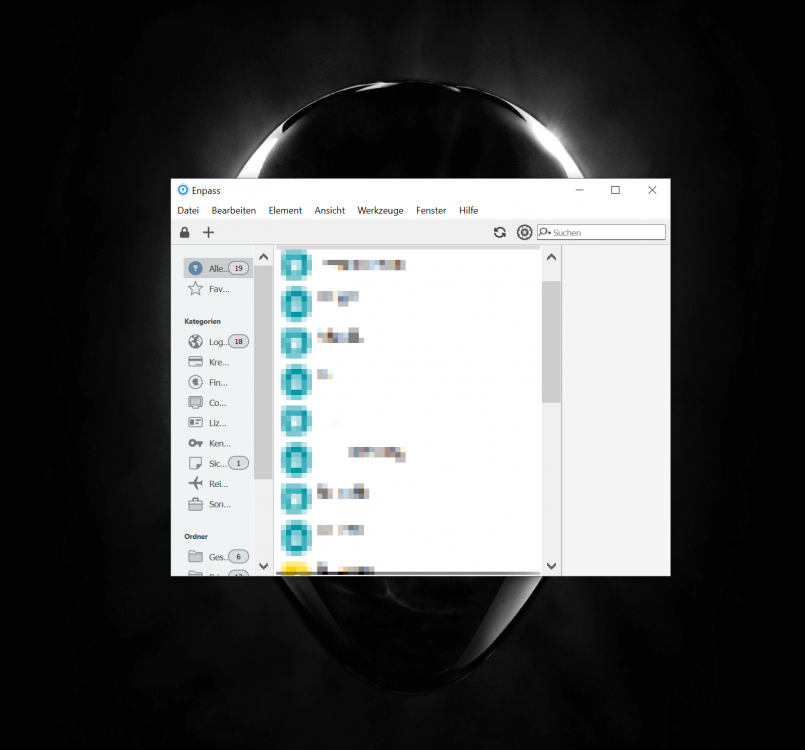
i am on the last beta version. My system is windows 10 64bit.
The Window size is reset at each restart. You can see it on the screenshot. If i manually resize the window it holds the size until the PC reboots.
Best regards
-
1
-
-
Hi,
Enpass directly locks all windws when i open the main Application and immediately double click on the taskicon.
My System:
- Enpass 5.2.0
- Windows 10 64bit
Strange, after this workaround
Windows -> Add the follow environment variable in Computer -> Properties -> Advance System Settings -> Environment variables->System variables->New.. with variable name QT_AUTO_SCREEN_SCALE_FACTOR with value 0.
the problem is vanished
-
Hi Vinod Kumar,
the workaround for Windows works.
Display 3840 x 2160
OS Scaling 150%
-
Same Problem with 5.2 on Windows 10 64bit / 4k Display
-
Hi, here the same Windows 10 x64 with german keyboard layout.
Another Shortcut dont resolves the problem.
I think the shortcut is not the problem. I get the same behavior with a mouse click on the Browser Addin
-
Wonderfull News!
Thanks
-
Hello,
please revise the GUI for Windows Desktop. The GUI/Extension is not nice and don't support my 4K Display
Thanks and best regards
-
1
-
-
Please add the possibility to start Enpass with windows in the system tray
Thanks
-
2
-
-
Hello,
i use Enpass 5.0.5 on Windows Desktop and the Extension 5.0.7 in Firefox.
When i try to login into a Website with the defined Shortcut, (STRG+Backspace in my case) i need two or three tries until the Popup appears.
Best Regards
-
-
Great News! Many thanks for that.
If Application Support available, i can drop Keepass.
Best Regards
-
Hello,
is it possible to autofill applications like Steam, vSphere Client, Origin, Putty, Microsoft Remote Desktop ... with Enpass?
Best Regards
-
1
-
Premium for Traditional Win32??
in Purchasing Enpass
Posted
Hi, this is clear for me but is the Traditional Win32 App also unlocked after purchase the store app?