Jump to content
View in the app

A better way to browse. Learn more.

Enpass Discussion Forum

A full-screen app on your home screen with push notifications, badges and more.

To install this app on iOS and iPadOS
  1. Tap the Share icon in Safari
  2. Scroll the menu and tap Add to Home Screen.
  3. Tap Add in the top-right corner.
To install this app on Android
  1. Tap the 3-dot menu (⋮) in the top-right corner of the browser.
  2. Tap Add to Home screen or Install app.
  3. Confirm by tapping Install.
  • Search By Tags

    Search will match any tag entered
  • Search By Author

Content Type

Forums

  • General discussion
    • Hot topics
    • Enpass Support & Troubleshooting
    • Registration and Purchases
    • Autofilling and Desktop Browser Extensions
    • Data Security
    • Announcements
  • Help us improve Enpass
    • Feature requests
    • Enpass Beta
    • Localization
  • General discussion

Find results in

Find results that contain...

Date Created

  • Start

    End

Last Updated

  • Start

    End


Filter by number of...

  • Minimum number of replies

  • Minimum number of views

Found 1 result

  1. stkjj posted a topic in iOS
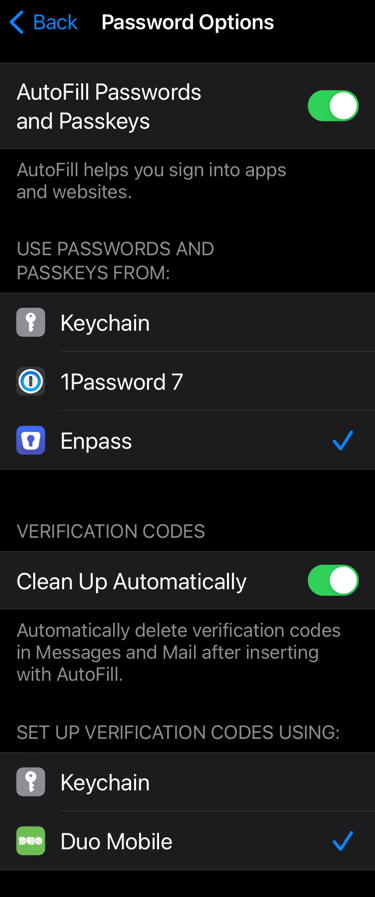
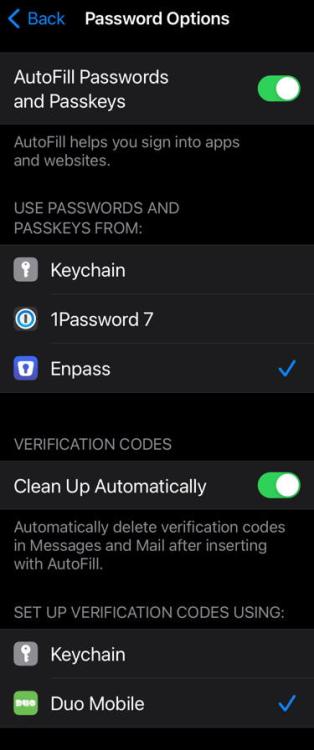
    Good morning, my setup: iOS 17.0.1 on iPhone XR Enpass 6.9.2 Vault sync via NextCloud Autofill is on, single source for it is Enpass (see attached screenshot) a) "Set up verification codes using:" does not include Enpass, despite being my first source for one-time passcodes. Yes - one could argue this if it's still 2FA if both password and token are supplied by the same source, but besides from this philosophical problem, I would just like to see Enpass listed there to set up 2FA with Enpass, rather than Keychain or Duo Mobile (which only makes real sense when their push notifications come into play - extra cool to confirm a login on the apple watch by just tapping "approve"). b) Autofill will just present entries from Keychain (which in my case are both outdated, no longer synced, but can't be removed - different story for the Apple support), but not my Enpass identities or credit cards. Besides this, Autofill of existing passwords works fine. Just the support for sign up processes are very limited (going back and forth and copy-paste various bits and pieces). Are these known limitations, bugs (I admit, I never used Enpass on an older iOS version) resulting from the iOS 17 update or should I have put it under feature request? best regards Stefan

Configure browser push notifications

Chrome (Android)
  1. Tap the lock icon next to the address bar.
  2. Tap Permissions → Notifications.
  3. Adjust your preference.
Chrome (Desktop)
  1. Click the padlock icon in the address bar.
  2. Select Site settings.
  3. Find Notifications and adjust your preference.