

Skip to content
View in the app

A better way to browse. Learn more.

Enpass Discussion Forum

A full-screen app on your home screen with push notifications, badges and more.

To install this app on iOS and iPadOS
  1. Tap the Share icon in Safari
  2. Scroll the menu and tap Add to Home Screen.
  3. Tap Add in the top-right corner.
To install this app on Android
  1. Tap the 3-dot menu (⋮) in the top-right corner of the browser.
  2. Tap Add to Home screen or Install app.
  3. Confirm by tapping Install.

dirkdavidis

Members
  • Joined

  • Last visited

  1. Hi @Dentonthebear i think this qml is not the causing issue. i am trying to figure out what causes enpass + gdm + gnome-shell to cause this error
  2. enpass.desktop[4364]: QQmlComponent: Created graphical object was not placed in the graphics scene. this is what journalctl logs when i am trying to login to gnome-shell and enpass is in autostart
  3. Hi @Garima Singh my Enpass Version is: 6.4.1.643 Architecture is x64 i just have one linux device: fedora 32. with Gnome 3.36.2 so i have the issue just on this device. i deactivated autostart for enpass settings and $USER/.config/autostart
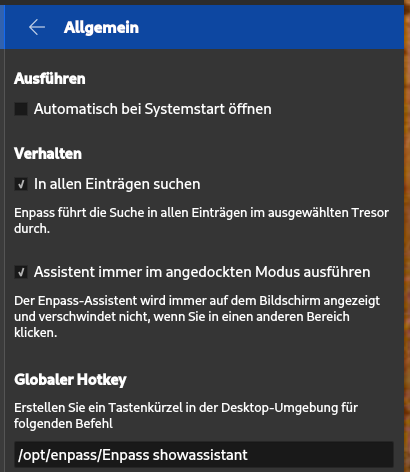
  4. Hi i have a strange behaviour of Enpass. I have a brand new Fedora32 install. Enpass configured so far so good. So i check: autostart on login feature. Next time when i logged in after reboot i got just black screen nothing happens. So after figure out some stuff i deleted step after step all autostart apps and gotcha after i deleted Enpass from autostart login is possible. After login i can start Enpass no Problem but just when i let Enpass start automatically black screen. I use Fedora32 with Appindicator extension. Nothing really special i think. Any ideas what causes this issue?
Account

Navigation

Search

Search

Configure browser push notifications

Chrome (Android)
  1. Tap the lock icon next to the address bar.
  2. Tap Permissions → Notifications.
  3. Adjust your preference.
Chrome (Desktop)
  1. Click the padlock icon in the address bar.
  2. Select Site settings.
  3. Find Notifications and adjust your preference.