Skip to content
View in the app

A better way to browse. Learn more.

Enpass Discussion Forum

A full-screen app on your home screen with push notifications, badges and more.

To install this app on iOS and iPadOS
  1. Tap the Share icon in Safari
  2. Scroll the menu and tap Add to Home Screen.
  3. Tap Add in the top-right corner.
To install this app on Android
  1. Tap the 3-dot menu (⋮) in the top-right corner of the browser.
  2. Tap Add to Home screen or Install app.
  3. Confirm by tapping Install.

Naj

Members
  • Joined

  • Last visited

Everything posted by Naj

  1. Hi @Garima Singh, @Pratyush Sharma, It worked! I can now sync my devices with the cloud ! Thank you for your help both Kind regards, Naj
  2. Hi @Garima Singh Thank you for your reply! I really hope this helps. As soon as i have tried this method, i will post an update with my findings. Regards, Najim
  3. Hi @Pratyush Sharma, I have tried that and now i cannot sync the device with the cloud anymore. ;( is there any other solution to re-connect my device(s) with the same enpass data in the cloud?
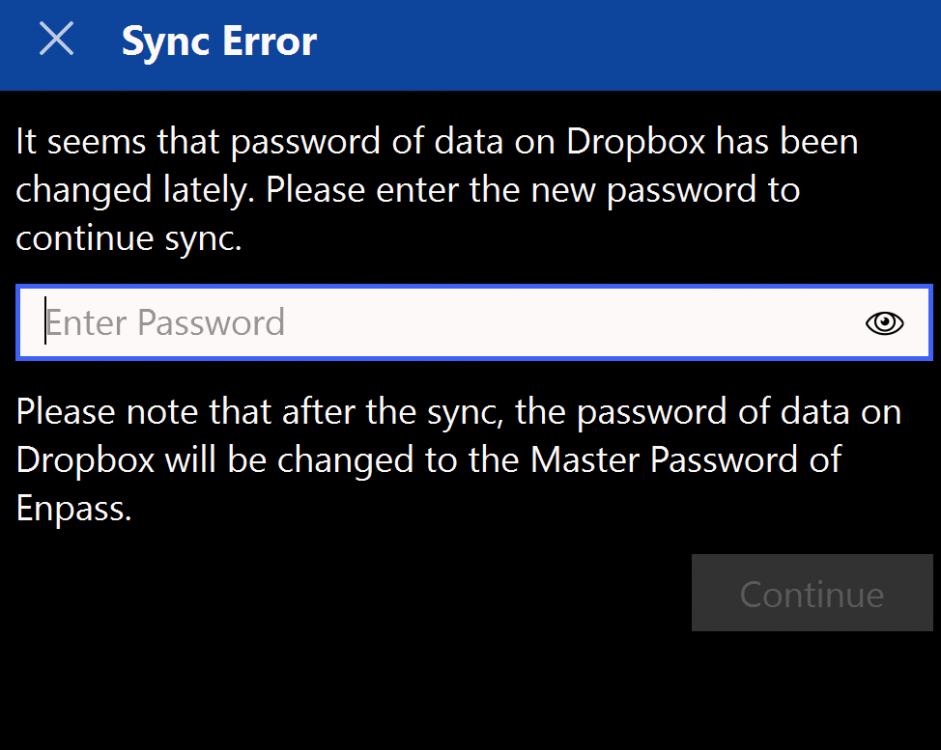
  4. Hi @Pratyush Sharma, Thanks! Down below, you'll see 2 screenshots i get when i try to sync my enpass database with my dropbox. On my mobile phones, it's working perfectly, however, on my both laptops it does not. I hope there is way to solve this issue because now i cannot sync the new added passwords with my other devices. - Naj
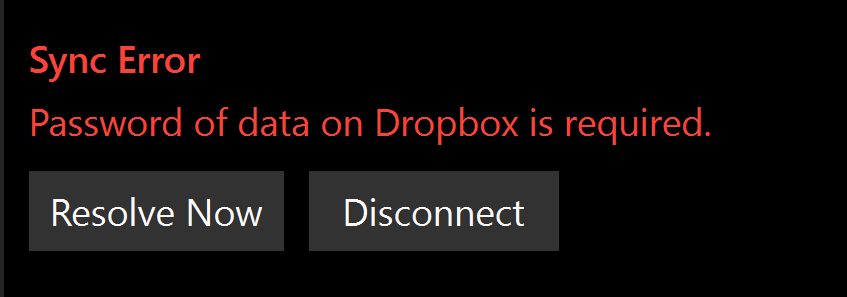
  5. Hi There, This is my first time asking here a question. I''ll try to describe the issue i'm facing. I have bought a new laptop recently and i installed the enpass App on it. After logging in successfully now i want to sync it with my cloud data and here is the issue. It asks for a password so that the Enpass application can synchronize the data between the cloud and the new installed application. I entered several passwords that i have used in the past but i have never changed it so far i can remember. After several attempts, i do not know anymore how to synchronize between these two applications so that i have the same data on this new laptop as my other devices. PS: this is not about my master password because i can log in successfully on the enpass password manager, it is the password that the password manager asks to sync the cloud with it. I hope you guys could help me out with this. Kind regards, Naj


Account

Navigation

Search

Search

Configure browser push notifications

Chrome (Android)
  1. Tap the lock icon next to the address bar.
  2. Tap Permissions → Notifications.
  3. Adjust your preference.
Chrome (Desktop)
  1. Click the padlock icon in the address bar.
  2. Select Site settings.
  3. Find Notifications and adjust your preference.