

Skip to content
View in the app

A better way to browse. Learn more.

Enpass Discussion Forum

A full-screen app on your home screen with push notifications, badges and more.

To install this app on iOS and iPadOS
  1. Tap the Share icon in Safari
  2. Scroll the menu and tap Add to Home Screen.
  3. Tap Add in the top-right corner.
To install this app on Android
  1. Tap the 3-dot menu (⋮) in the top-right corner of the browser.
  2. Tap Add to Home screen or Install app.
  3. Confirm by tapping Install.

Herk2021

Members
  • Joined

  • Last visited

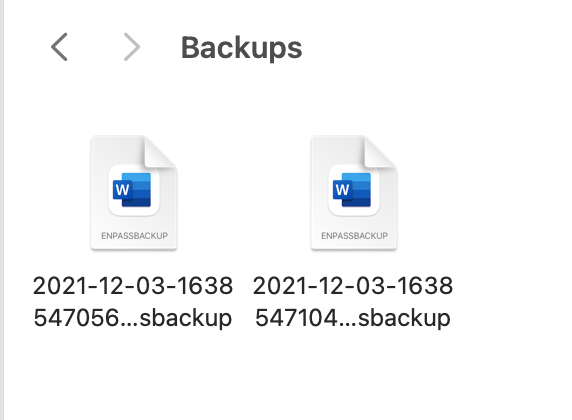
  1. When creating a back up to a folder on my Mac, the backup files are defaulting to Word docs. I recently tried to open a backup as a word doc just to test if any data would be displayed, but now all backups default as word docs. They do not actually open using word, so no data is displayed. And as a test I created a new vault using a backup word file and everything imported fine. Does is matter if the backups are defaulting as a word document, or should this be changed to something else for security reasons?
Account

Navigation

Search

Search

Configure browser push notifications

Chrome (Android)
  1. Tap the lock icon next to the address bar.
  2. Tap Permissions → Notifications.
  3. Adjust your preference.
Chrome (Desktop)
  1. Click the padlock icon in the address bar.
  2. Select Site settings.
  3. Find Notifications and adjust your preference.