

Skip to content
View in the app

A better way to browse. Learn more.

Enpass Discussion Forum

A full-screen app on your home screen with push notifications, badges and more.

To install this app on iOS and iPadOS
  1. Tap the Share icon in Safari
  2. Scroll the menu and tap Add to Home Screen.
  3. Tap Add in the top-right corner.
To install this app on Android
  1. Tap the 3-dot menu (⋮) in the top-right corner of the browser.
  2. Tap Add to Home screen or Install app.
  3. Confirm by tapping Install.

J K

Members
  • Joined

  • Last visited

  1. Hi @Gulshan Dogra, Has there been any update on this? I've noticed that the size of the interface changes depending on which monitor I have enpass running. Could this be part of the issue? Thanks James.
  2. Hey @Gulshan Dogra Desktop running Ubuntu 20 Enpass version 6.7.4 (933), Enpass browser extension from the Chrome Web Store, Chrome Version 96.0.4664.110 (Official Build) (64-bit) Problem present in browsers Chrome, Brave, and Firefox
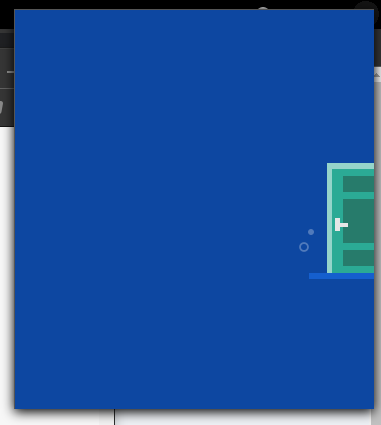
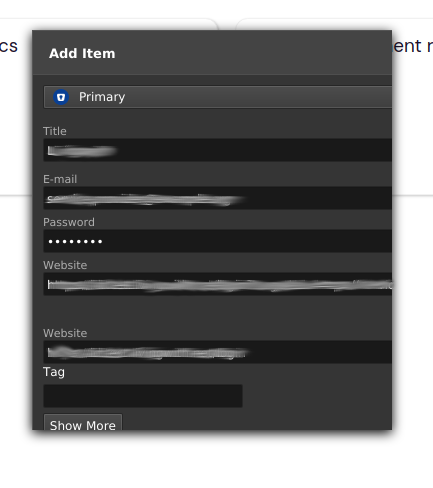
  3. Running Ubuntu 20 LTS using Chrome or Brave, I cannot see everything so cannot use the extension in the browser. See screenshots. It's not possible to zoom in/out using the normal browser controls. Can anyone help?
Account

Navigation

Search

Search

Configure browser push notifications

Chrome (Android)
  1. Tap the lock icon next to the address bar.
  2. Tap Permissions → Notifications.
  3. Adjust your preference.
Chrome (Desktop)
  1. Click the padlock icon in the address bar.
  2. Select Site settings.
  3. Find Notifications and adjust your preference.