


bull3t
Members
-
Joined
-
Last visited
-
-
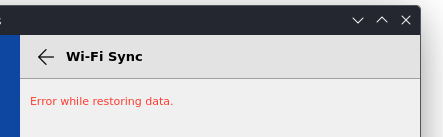
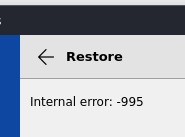
I am on SteamOS using the flatpak appstream://io.enpass.enpass shared by a user in this thread. The flatpak is v6.10.1.1661. I have not used it in a while but it does not seem to work anymore. I cannot sync with google cloud, it just times out. I tried clearing all user data and reinstalling, and it still just times out trying to sync to google. I tried taking an .enpassbackup from my Windows machine. I tried recovering directly with the .enpassbackup and got an "Internal error -995". After a lot of troubleshooting with WiFi sync, I eventually got it to connect with my Windows machine. (I was on hotel WiFi and once I put both the steamdeck and the laptop on Mobile Data, they could talk). But it just says "Error while restoring data". Folder sync and this device sync with the unzipped .enpassbackup say "Error while restoring data". Are Windows and Linux backups not cross-compatible? Does anyone else have the flatpak working right now or is it just me? Can anyone else with the Linux or flatpak version sync with Google?
-
Also looking for an update, I just got my Steamdeck and am seeing how it is pretty much impossible to install anything on the SteamDeck if it isn't a flatpack. Any workaround / installs on the device will get wiped as soon as you update the OS.