Ronan
Members
-
Joined
-
Last visited
-
Ok I am back up running again. Syncing with another Cloud now. Additional question : When I take a manual Backup, the file is stored on my device. Is that file encrypted ? if someone had my phone open, and navigated to that file, they could send it to themselves. Would they be able to open it ? Should I find a way to password protect that file, say, stored on my phone ? Thanks.
-
Completed Step 3 on iPad. Data is restored. 240 items. Next Step 4 - but before I attempt to sync with Dropbox, shall I navigate into Dropbox and delete the existing file : “ vault. enpassdbsync “ thanks.
-
Ok I have completed step 1 & 2. Now, Step 3 : shall I manually delete the app from iPad ? Then navigate back to Enpass.io to download again ? Thanks.
-
Question : should I manually go into Dropbox and delete “vault.Enpassdbsync “ I can ‘see’ that file if I log into Dropbox on a browser.
-
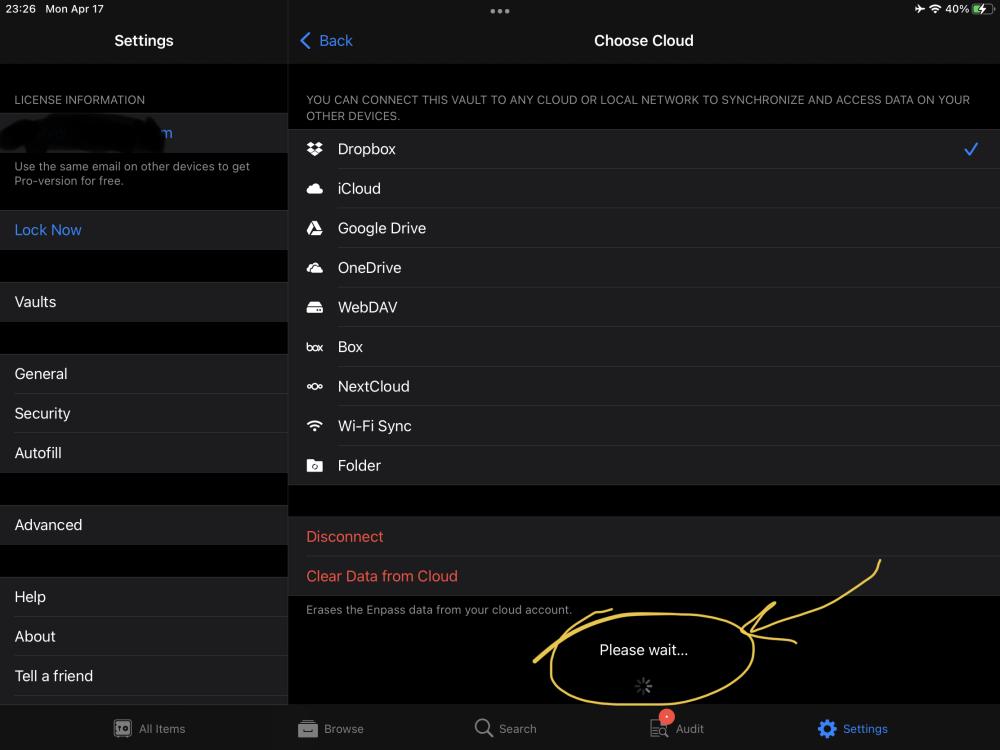
So I cannot Disconnect from Dropbox. Ipad on 15.7. Click on Disconnect - no response. Click on “Clear Data from Cloud”. It’s been spinning for an hour. Nothing. Same on iPhone 14 with iOS 15.7.1. But I have already deleted Enpass app from phone.
-
I am having the same trouble. Enpass is not syncing across Dropbox for many months now. iPad = 240 items. / iPhone = 235 items / iMac = 225 items I have tried to “Disconnect” from Dropbox many times. iPad & iPhone will not allow. Nothing happens when I click Disconnect. I have taken a Backup on device on all three. Deleted Enpass on iPhone - Abhishek advised : Uninstall the Enpass app from Enpass Settings → Advanced → Erase everything. I would now like to restore Enpass on the iPhone.