

Skip to content
View in the app

A better way to browse. Learn more.

Enpass Discussion Forum

A full-screen app on your home screen with push notifications, badges and more.

To install this app on iOS and iPadOS
  1. Tap the Share icon in Safari
  2. Scroll the menu and tap Add to Home Screen.
  3. Tap Add in the top-right corner.
To install this app on Android
  1. Tap the 3-dot menu (⋮) in the top-right corner of the browser.
  2. Tap Add to Home screen or Install app.
  3. Confirm by tapping Install.

TimWJ

Members
  • Joined

  • Last visited

  1. TimWJ replied to TimWJ's topic in Linux
    Amandeep, Many thanks using apt-get to remove and re-install enpass and re-setting up and all is now working. Great Tim.
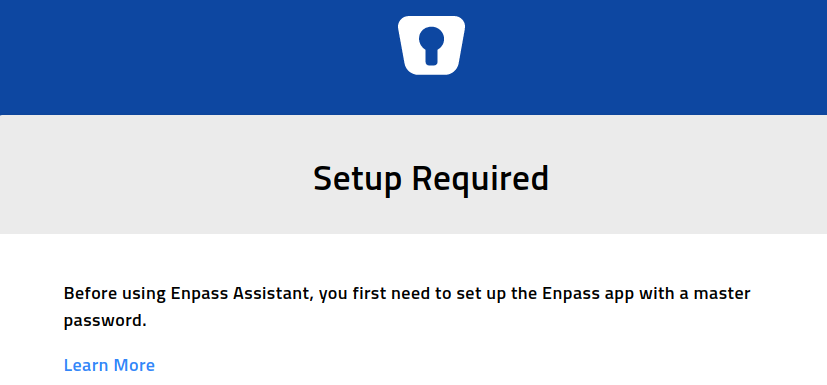
  2. I have been using Enpass for a couple of years, on Ubuntu with Brave, yesterday I installed a Ubuntu update which I think included an update to Brave. Today when I click on the key icon on the Brave toolbar instead of the prompt to login I get a message that Enpass requires setup, but no clue how to do this. I removed Brave extension and reinstalled it but no luck, still the same message. How should I proceed to re-setup Enpass. My data is backed up to google drive and shared with my Android phone. thanks for any help. PS Incidentally when trying to register for this forum I could not using Brave as I just got the message that I was a SpamBot??

Account

Navigation

Search

Search

Configure browser push notifications

Chrome (Android)
  1. Tap the lock icon next to the address bar.
  2. Tap Permissions → Notifications.
  3. Adjust your preference.
Chrome (Desktop)
  1. Click the padlock icon in the address bar.
  2. Select Site settings.
  3. Find Notifications and adjust your preference.