


cfinnberg
Members
-
Joined
-
Last visited
-
You can also identify the Enpass port with: netstat -lnp --tcp | grep "Enpass" With that I get something like: tcp 0 0 127.0.0.1:10391 0.0.0.0:* LISTEN 1492/Enpass that means that in my case Enpass is listening in port 10391.
-
I flagged the AUR package the same day the new version was released and it was update less than 24 hours after that. I wouldn't say it was late in any way. Also, it wasn't "several versions out of date". As far as I know the previous version was the last version available for Linux at the time. Notice that the Linux version of Enpass is not updated as frequently as the Windows version. Version history in Linux: https://www.enpass.io/release-notes/linux/ Version history in Windows: https://www.enpass.io/release-notes/windows-pc/ The one in the Manjaro repository probably got update **after** the AUR version was updated.
-
Yes, now it seems to work. Thanks!
-
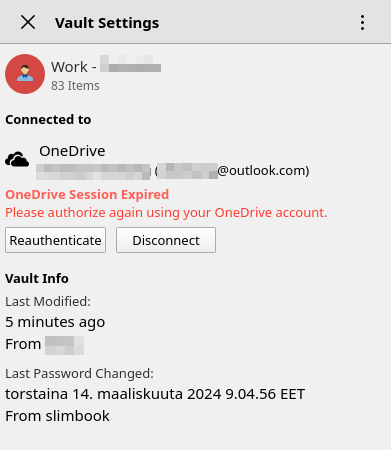
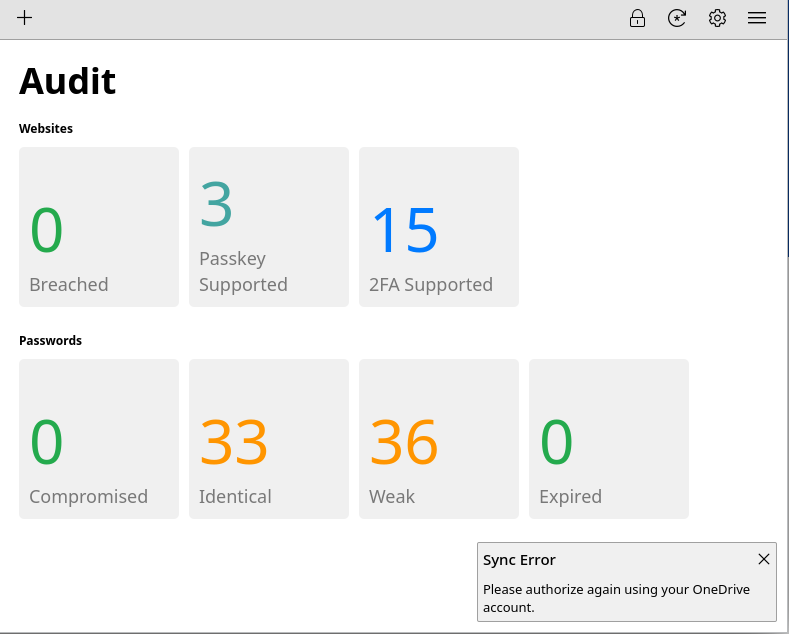
Hi, I have a small problem with my desktop client in Linux. I have a vault in Onedrive (personal account) and it shows a message that says that the session is expired (see attachments). The process to authenticate/re-authenticate seems to be working fine, but when it returns to Enpass, the error message stays there. I use the same vault from a Windows client and it works fine without any odd messages. I made some tests and at least one time the Linux client got a change made in the Windows client. But I had to try to sync manually. I made a bunch of changes in my Linux client, but none of them made to the Windows client. I have another vault with Dropbox and it works and synchronizes without problems. In other Linux computer I have the same problem. Enpass Linux client v.6.10.1.1661 System: Manjaro Linux. Client installed from AUR (uses the enpass official DEB client package).
-
Hi, sorry for the delay. The problem has happened only once, so I am not able to provide any more details at the moment. I will provide them if it happens again. Thanks for your assistance!
-
Hi, an Enpass dialog window came up a few days ago, requesting to give permission to Telegram to access Enpass. I declined the request, obviously and asked about this in a Telegram github issue opened by other user with the same experience. They denied that Telegram can do that and they invited me to ask here. But anyway I'm bit suspicious about this at the moment. Is it possible that Enpass incorrectly detects something as an incoming connection from a plugin? Does Enpass developers have some possible explanation to this? Is there any public documentation about the communication protocol between the plugin and Enpass? I would like to study myself how this could have been happened. Thanks in advance.
