


Walfisch
Members
-
Joined
-
Last visited
Everything posted by Walfisch
-
Windows Hello could also use some optimization. On the X64 version of Windows 11, every time I use Windows Hello to unlock the Enpass app or the Chrome extension, the PIN entry interface pops up first before the fingerprint recognition interface appears. This makes the entire process very slow. Please consider optimizing the support for Windows Hello.
-
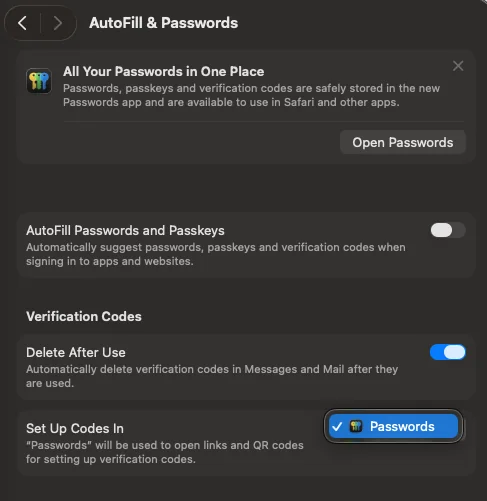
Hello, Sundeep. Please also consider adding the same functionality to macOS. Currently, this is already supported on iOS and iPadOS, but the lack of support on macOS causes the Apple Passwords interface to occasionally obstruct Enpass, even when the "AutoFill Passwords and Passkeys" toggle is turned off.
-
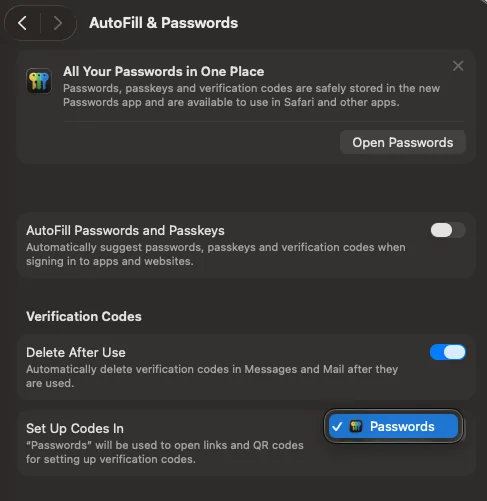
Currently, in iOS and iPadOS, Enpass can be selected as the provider for the "Set Up Codes In" option under AutoFill & Passwords, but this is not yet supported on macOS. This causes the Enpass selection box to be obstructed by Apple Passwords options in many applications, even when the "AutoFill Passwords and Passkeys" switch is turned off. If Enpass could implement support for this on macOS, it would resolve these conflicts.
-
This feature is indeed very useful, and I hope the Enpass team can give it some serious consideration. Since Enpass upgraded to Premium, the primary features promoted have been the Website Breach Alerts and 2FA account identification. After several years of use, it’s not uncommon to have over a thousand passwords, many of which are duplicate items. If users were allowed to select and merge entries with the same domains, accounts, or passwords within the Enpass vault, it would be much better. Manually editing and copying information across different entries are extremely troublesome and time-consuming. Enpass actually has the capability to detect duplicate passwords; it just lacks the ability to list them and allow users to select and merge those duplicates.
-
I have the same need. My original password manager created multiple entries with identical accounts, passwords, and domains without merging them. After switching to Enpass, I've run into the same problem—I have to manually delete them and re-add domains. It would be great if the similar password detection (or elsewhere) let users select and merge entries for the same domain. It's been nearly a decade since this issue was first raised in this thread. Hopefully it can be realized soon.
-
Hi! Could Enpass consider supporting Autofill on macOS? Currently on iOS and iPadOS, you can set Enpass as the designated Autofill app in System Settings, but on macOS, Enpass doesn't appear in the Autofill settings list—only Apple's Passwords is available. I hope Enpass can support this. Thank you! https://www.reddit.com/r/EnpassOfficial/comments/1pylw4j/choose_enpass_in_macos_option_for_set_up_codes_in/ Other users have also mentioned the same issue on Reddit's official channel. If Enpass could be set as the system's sole Autofill provider, it would avoid many conflict scenarios.
-
Is anyone else experiencing a clunky transition when using Windows Hello in the Enpass Windows app? Whenever I trigger the unlock with Fingerprint recognition, the PIN input window "flashes" or pops up for a split second before automatically switching to the Fingerprint recognition prompt. Even though it eventually gets to the fingerprint screen, seeing that PIN box jump out every single time makes the whole process feel laggy and induces a bit of "wait-time anxiety." On iOS, iPadOS, and macOS, the biometric prompt is instantaneous and seamless. There’s no UI jumping or flickering. Even on Windows, other apps seem to trigger the fingerprint scanner directly without this weird visual glitch. It’s not a major bug, but that split-second delay and the flickering window make me feel impatient every time I try to log in. It really disrupts the flow compared to the smooth experience on Apple devices. Does anyone know if there’s a way to make the fingerprint prompt appear directly? Or is this something the devs need to optimize? Thanks!
