


fisben
Members
-
Joined
-
Last visited
-
Hi Anshu, Please ignore my previous post. I finally managed to do the export in eWallet and to import the file to Enpass. There's just one more question: some cards are duplicates with an error message: "The source card for this shortcut cannot be found." Can I avoid this message? Thanks, Peter
-
Hi Anshu, It still doesn't work. I have successfully importet my eWalletGO data into the Desktop Version of eWallet. Now I am able to export it with "save as" but only as an eWallet file (*.wlt) or as a text file (*.txt). Neither file type can be importet into Enpass. What can I do? Or what am I doing wrong? Thanks, Peter

-
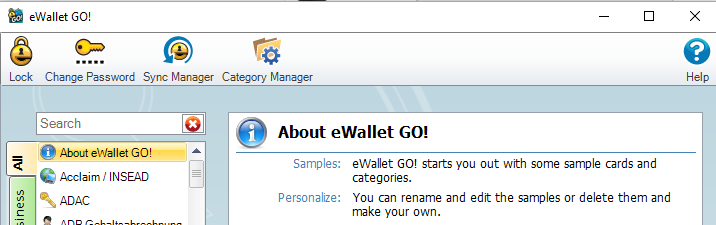
Hi Anshu, Thanks a lot for your prompt reply. Unfortunately, eWalletGO has no "File" and "Save As" buttoms (see screenshot attached). Any idea how to handle that? Thanks, Peter
-
Does anybody have a user friendly and easy way to import data from eWallet GO into Enpass? Appreciate any tips and hints.