HannesDi
Members
-
Joined
-
Last visited
Everything posted by HannesDi
-
So whats the solution for this problem? i have my own nextcloud server and the same problem. Anybody a hint whats to do on the server to fix that ?
-
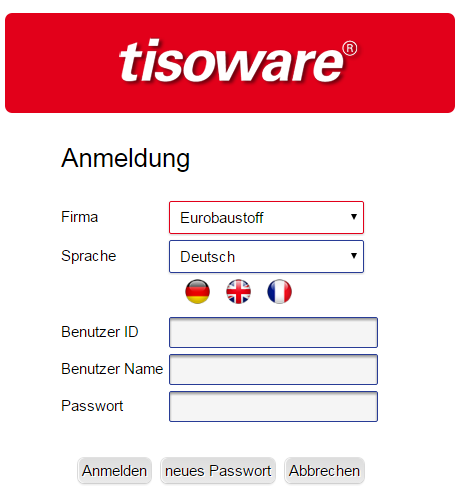
Multible Fields and dropdown-list Hello, i wish a funtion for detecting and saveing multiple field and dropdown-list like lastpass can do it.. i have imported my lastpass data to Enpass, but is had imported not all fields and missing the dropdown-list value see attached screenshot. It fills up "Benutzer Name" and Passwort but missing the field "Benutzer ID" and missing dropdown-list values like "Firma" and "Sprache" Lastpass does this well... I know Enpass is free of charge but i have no problem to pay for a "Pro Version" with a single Payment instead a monthly payment model Exact this Monthly Payment Model drives me to quit with Lastpass and switch over to Enpass Best Regards Hannes