farbschmelz
Members
-
Joined
-
Last visited
Everything posted by farbschmelz
-
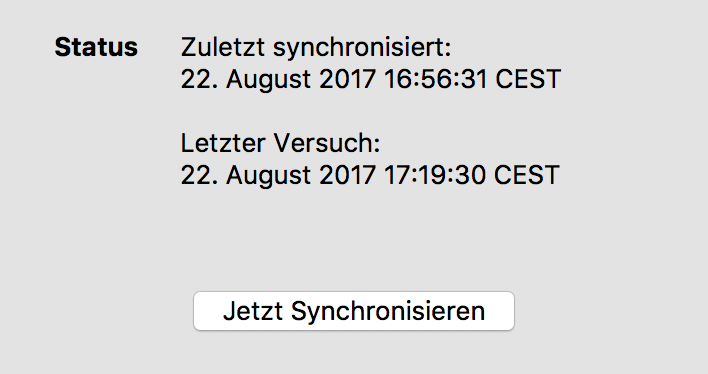
Hi Akash, thanks! You are totally right. Tested it (should have done it earlier ..) and everything works fine. May I suggest to alter the translation for the german version a little bit? The "Letzer Versuch" in combination with "Zuletzt synchronisiert" leads to the assumption that Enpass tried to sync but it didn´t work (somehow). Maybe "Letzte Prüfung" instead of "Letzter Versuch" would be a little less misleading. Thanks again! Kind Regards, Matthias
-
I do have the same problem as meme and trying this only results in nesting of Enpass folders. I´m able to conntect to all Folders via CMD+K on my Mac and using http://IP:5005/web/web_enpass/ does work – Enpass creates a Folder (named "Enpass") with the walletx-file. But only this first sync is working - to sync again I have to disconnect Enpass and reconnent again. Every time - as meme already described. Pressing the sync button only results in a 1-second loading animation. There are no errors, neither in Enpass or the macOS Console. Can´t provide a demo account as our Diskstations isnt reachable over internet. We´re using a DS415+ with the newest DSM 6.1.3-15152 Update 3. Thanks