


Skip to content
View in the app

A better way to browse. Learn more.

Enpass Discussion Forum

A full-screen app on your home screen with push notifications, badges and more.

To install this app on iOS and iPadOS
  1. Tap the Share icon in Safari
  2. Scroll the menu and tap Add to Home Screen.
  3. Tap Add in the top-right corner.
To install this app on Android
  1. Tap the 3-dot menu (⋮) in the top-right corner of the browser.
  2. Tap Add to Home screen or Install app.
  3. Confirm by tapping Install.

Ktsts

Members
  • Joined

  • Last visited

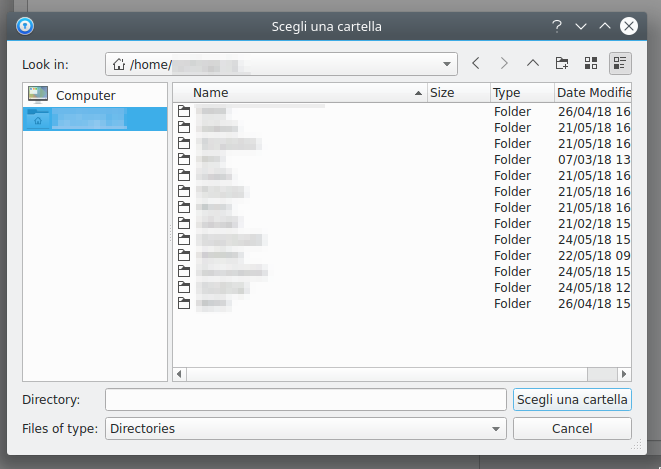
  1. Sorry for posting here, I realize that this thread is dormant but I have the same issue under KDE linux (Antergos OS; based on Arch Linux). I tried the solution suggested by @Vinod Kumar but it doesn't work because the dialog window didn't let me choose a location even if I press Ctrl+L. I attached the image of the window. Somebody tell me that I could mount the samba share to a directory in my home but I don't know exactly how to do that and it would be a dirty walkaround (provided that this solution works). I think this dialog open window is Qt4, and nowadays KDE is built around Qt5. Anyway do you guys know any solution? Thanks in advance!
Account

Navigation

Search

Search

Configure browser push notifications

Chrome (Android)
  1. Tap the lock icon next to the address bar.
  2. Tap Permissions → Notifications.
  3. Adjust your preference.
Chrome (Desktop)
  1. Click the padlock icon in the address bar.
  2. Select Site settings.
  3. Find Notifications and adjust your preference.