


MikeDelta
Members
-
Joined
-
Last visited
-
In my case the Sophos Cloud Protection has blocked the communication between the Browser extension and the app - Sophos protect the app! The support send me a useful link to solve this. I add the localhost ip 127.0.0.1 to the Web Protection Exceptions in the Sophos Central Management, close all Browser Sessions and the app, restart the app and firefox and when i select the emnpass extension symbol a keycode is shown to fill in this in the app - it works now! Regards! Mike
-
Doesn´t work for me... start the app first every time... think the 6.0.0 has some bugs!
-
Hi Yogesh! Problem persists, send the logs to support! Regards! Mike
-
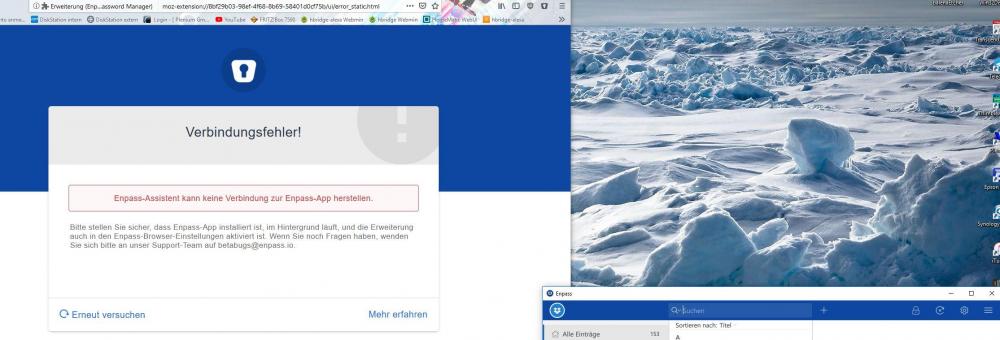
Hello! Updated the Win32 Version on my Windows 10 PC and the Firefox (actual 64Bit Build) extension to 6.0.0, browser extension is enabled and the App is running but the Firefox extension cannot connect to the Enpass App - several tries without any luck - very disappointed and need help please! The older version works perfect but i cannot downgrade, find no link to download the old firefox extension!
-
Hi there! After update Enpass to 6.0 the Firefox extension doesn´t work anymore - it seems that the aviable extension on the Enpass Homepage isn´t compatible to the new Version 6 - please help! Regards! Mike

