


Jan_Osch
Members
-
Joined
-
Last visited
-
Would bee a very welcome addition an an upcoming version. Thanks Jan_Osch
-
Hi Anshu, Okay, this helps a little. a pawned section on the first level would be much more obvious and would really help a lot. So I could see with only one quick look if I have to take counter mesures . Please rethink your decision. Thanks, Jan_Osch
-
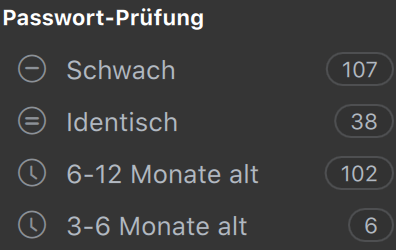
As far as I have seen I cannot display all accounts where pawned passwords have been found. I am only getting a message that X pawned password have been found - But I haven't found any way to display accounts with pawned passwords. (except selecting all entities and check if this password is known as pawned.) good ways would be: - If I ran "check for pawned password" and I there are any pawned password have been found I, would like to get an option to see this selection of accounts with pawned passwords also there could be an "pawned" extension to this list (English "password check") to display accounts with pawned passwords Thanks, Jan_Osch
-
Hi, please enable Quicklook for attached files in notes. I would need this to see PDFs or other supported documents attached to notes. How? --> If the attachment is selected and the Space bar (or an eye icon , or right mouse click "show preview" is pressed, a Ouicklook preview is displayed (like in finder or 1Password) Thanks Jan_Osch
