

Skip to content
View in the app

A better way to browse. Learn more.

Enpass Discussion Forum

A full-screen app on your home screen with push notifications, badges and more.

To install this app on iOS and iPadOS
  1. Tap the Share icon in Safari
  2. Scroll the menu and tap Add to Home Screen.
  3. Tap Add in the top-right corner.
To install this app on Android
  1. Tap the 3-dot menu (⋮) in the top-right corner of the browser.
  2. Tap Add to Home screen or Install app.
  3. Confirm by tapping Install.

mailad

Members
  • Joined

  • Last visited

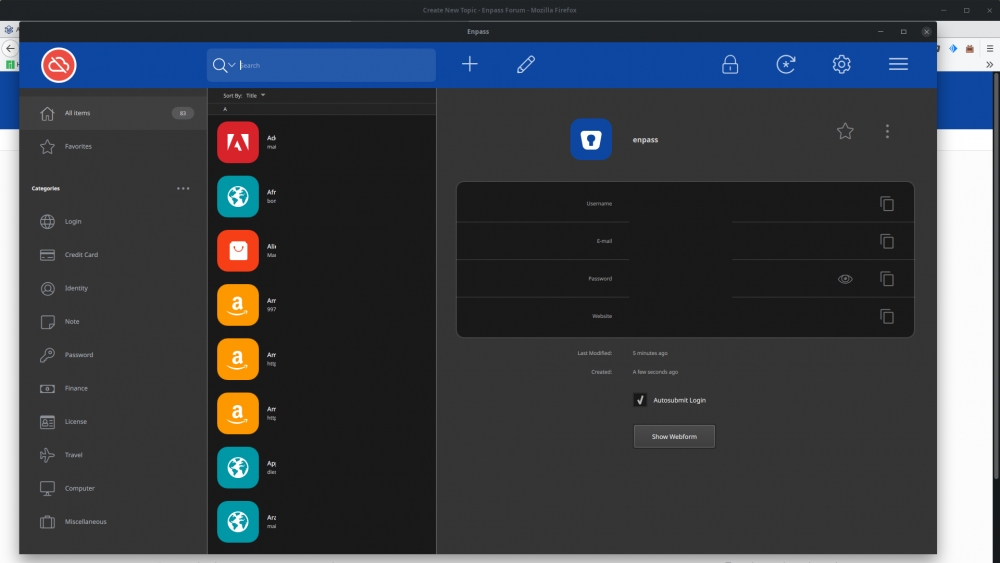
  1. My other apps scale perfectly fine. It's only the update of this specific app that scales like crap.
  2. Did an update to latest version of Enpass but the UI is SO huge I can barely use it. There are loads of "empty" spaces meaning it's wasting space. I also can't resize. It's window size is locked. The last few updates I know they say UI improvements but IMO it's getting worse. On my Windows PC with 4k screens it's not much better. As you can see it's using almost my entire screen. This app is virtually unusable at this size

Account

Navigation

Search

Search

Configure browser push notifications

Chrome (Android)
  1. Tap the lock icon next to the address bar.
  2. Tap Permissions → Notifications.
  3. Adjust your preference.
Chrome (Desktop)
  1. Click the padlock icon in the address bar.
  2. Select Site settings.
  3. Find Notifications and adjust your preference.