Antonio Soares
Members
-
Joined
-
Last visited
-
Hi, problem is now correctly addressed. Issue is resolved. Thanks for the support!! Cheers, António Soares
-
Hello again, working fine. no problem retrieving backup from cloud
-
Hi, thanks. will do. Let me share that my user profile path has special characters like " á "
-
Just downloaded Portable version and is working perfect. I believe the problem to be related to the vault location on the Windows Store version.
-
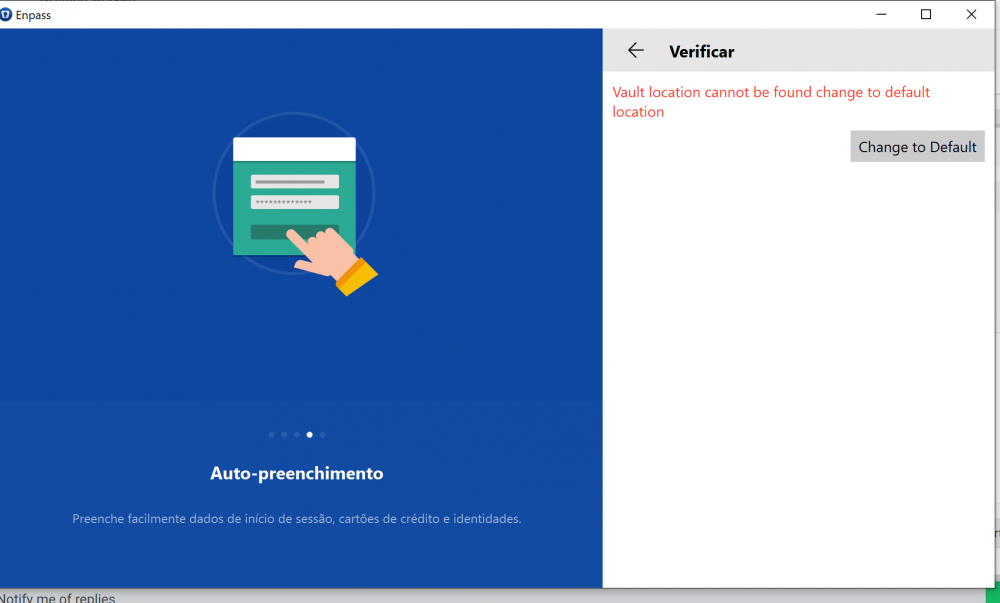
Just found that when creating a new account, it gives an error stating to be unable to find the vault. Trying to set defaults has no impact. Can you help? Kind regards, António
-
Antonio Soares joined the community
-
Hi, I have a backup file in Onedrive and I cannot connect to it from Windows 10. Today the app was updated and since then I cannot proceed. Selecting Onedrive brings me to the browser to login in onedrive. After successful login, it redirects me to the app and it closes automatically. I go to start menu and upon starting the App I get to square one and I restart the process... I can use it ok from Android. I'm using Edge Chromium as browser Thanks. António