sega
-
Posts
3 -
Joined
-
Last visited
sega's Achievements

Newbie (1/14)
1
Reputation
-
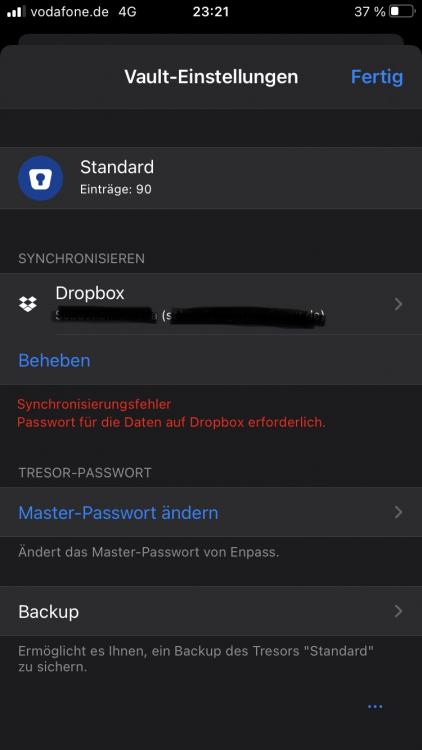
Hi, thanks for your reply. You understood right. In Windows there is no problem or error message while on iOS I get the error message on the screen in the attachment. And des, I recently changed the master password within the windows version of Enpass. Thanks, sega
-
Hello World, I'm using Enpass 6.6.0 (770) on my Windows 10 device. There is a sync from Windows to my Dropbox account which works fine so far. On my iPhone 7 (iOS 14.4) I'm using the Enpass App 6.6.2 (530). In the iOS app I get the error message that I have to input the correct Dropbox password. I have tried to disconned both devices from the Dropbox-Sync, delete/renamed the old vault file on my Dropbox folder and reconnected both devices to the sync process. Still only the Windows version is able to sync. Do you have any idea how I can solve this? Thanks, sega