

JT
-
Posts
10 -
Joined
-
Last visited
-
Days Won
1
Posts posted by JT
-
-
2 hours ago, 100 Watt Walrus said:
SUGGESTION: When first creating a new Item, the cursor should automatically already be in the Add Title field. Having to click there is a wasted extra step, and it's confusing to have the Title default to being the name of the template. In other words, the screen for creating a new item should start out like this (with a flashing cursor at the front of the field)...

...not like this (where the user has to not only click in the field, but double-click in order to overwrite the "Default," which should even be there since no one will ever name an item "Default"):

I agree.
I always forget to change the title because it's already filled in.
-
24 minutes ago, treefern said:
Hi
It has been some time since the last beta releases for Windows and android. Can we expect anything soon?
I'm interested in the answer too!
-
I couldn't get the import to work. I'm not sure if it's supposed to work or not in this beta?
Instead, I restored succesfully from a backup taken in Enpass 5.
-
I'm on Enpass 6.0.0 (72) and trying to import a generic CSV file of logins.
The import dialog says "you first need to export it from Generic CSV in the supported, unencrypted file". What is the supported format? I can't find any documentation on this.
It also says "to know more about exporting the data from Generic CSV, click here" - but there is actually no link to click.
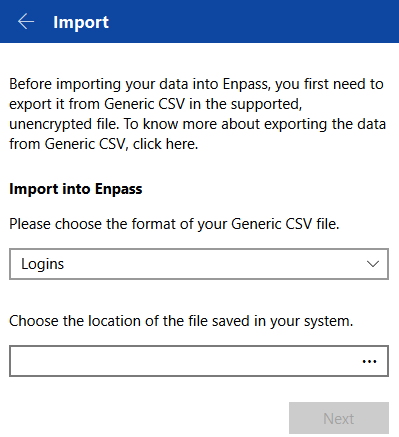
When I try to import from my generic CSV, I get the following:
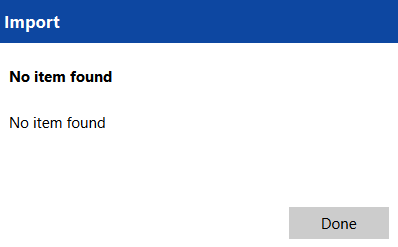
-
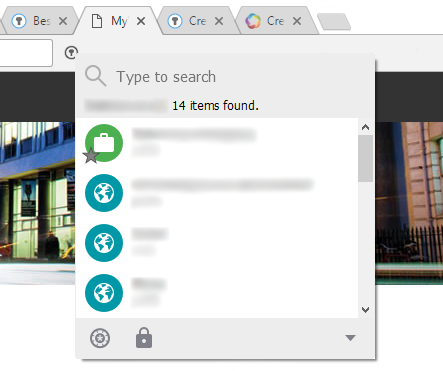
When there are a lot of passwords saved for a particular domain, it can be quite difficult to scroll through the list in the Chrome Extension to find the one or two that you use most often (and have been made favourite).
Please please please could you show favourite passwords first in the list? You could show they are favourites by overlaying the star icon over the top.
I have attached a quick mock-up of how it could look. As you can see I have 14 passwords for this particular domain.
-
 1
1
-
-
I'm interested in why you removed the globe key from the Enpass Keyboard?
I used it as a quick way to swap between my normal keyboard and the Enpass keyboard and back again.
-
Yep, no sign of it in the latest beta version.

-
1 hour ago, renz said:
JT, I did bring the installed folder of Enpass to my work laptop today, but as I have no access to the Program Files folder (need admin rights for that), it won't work otherwise...
I just unzipped it into my Documents folder, and ran Enpass.exe from there, and it works!
-
1
-
-
I asked support if it was possible to use Enpass without administrator permissions back in December 2015. The answer was "Sorry, it is not possible to install Enpass without Admin permission."
I then suggested that they make a portable version (LastPass, and Keepass have portable versions), and was told it's been added to their roadmap.
Actually, if you have admin permissions on another computer, and can install Enpass on that computer, then you can simply zip up the "Enpass" folder in "C:\Program Files (x86)", copy it to another computer without admin permissions, unzip it to any folder, and simply run it from there without admin permission. If this works, then surely creating a portable version shouldn't be difficult?
A new beta update of Enpass 6 is now available for Linux, macOS and Windows
in Desktop
Posted
Wasn't this beta supposed to add the ability to have multiple vaults per cloud storage?