

Leaderboard
-
TheDetective
Members1Points2Posts -
Rudy
Members1Points10Posts -
ronz
Members1Points1Posts -
ch1r0x
Members1Points3Posts


Popular Content
Showing content with the highest reputation on 08/27/20 in all areas
-
Ok thanks. Working with keyboard shortcut i dont like this. Roboform or Bitwarden fill every field without keyboard shortcut too. I hope Enpass can do this too in the Future,1 point
-
minor correction, folder "Trashed" & "Archived" should rename to "Trash" & "Archive" just like all other apps.
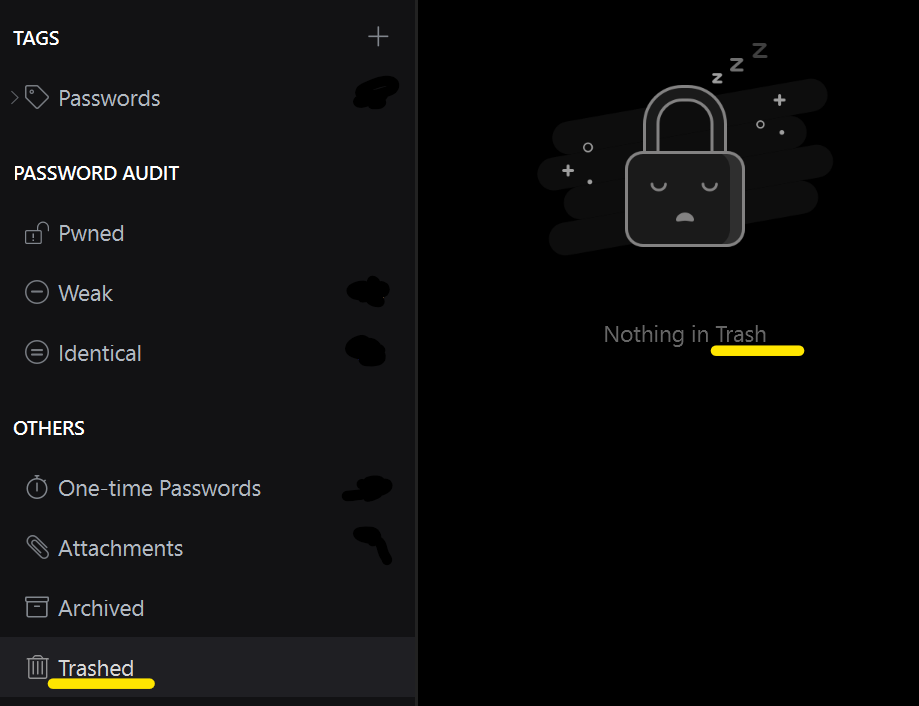 1 point
 -
1 pointI would also really love this feature. Steam has to be one of my most annoying 2FA accounts.1 point
-
Hey @Garima Singh I just want to let you know that I resolved my issue by simply copying over all the relevant files from the other Linux host. Although I'm not any longer affected, probably someone should investigate the backup restore issue. Thanks for your help. Cheers1 point
-
Tried again, and now it should be in your inbox on this forum1 point
