


Skip to content
View in the app

A better way to browse. Learn more.

Enpass Discussion Forum

A full-screen app on your home screen with push notifications, badges and more.

To install this app on iOS and iPadOS
  1. Tap the Share icon in Safari
  2. Scroll the menu and tap Add to Home Screen.
  3. Tap Add in the top-right corner.
To install this app on Android
  1. Tap the 3-dot menu (⋮) in the top-right corner of the browser.
  2. Tap Add to Home screen or Install app.
  3. Confirm by tapping Install.

Leaderboard

Popular Content

Showing content with the highest reputation on 09/09/25 in all areas

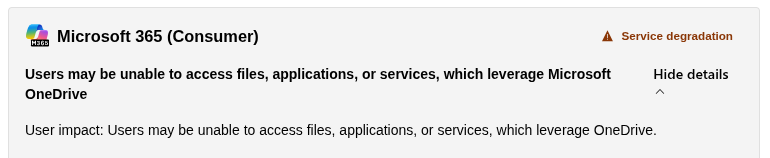
  1. Thank you @xbolte, I should have checked that before posting. The MS service has been restored and Enpass sync is now working.
  2. I'm having the same issue with vault syncing on OneDrive with error code 1204958 (on Android and Pop OS), but after extensive troubleshooting I checked the Microsoft service dashboard and saw that OneDrive is currently having issues: https://status.cloud.microsoft/m365/ Might need to wait until those clear up before attempting to fix the Enpass sync.
Account

Navigation

Search

Search

Configure browser push notifications

Chrome (Android)
  1. Tap the lock icon next to the address bar.
  2. Tap Permissions → Notifications.
  3. Adjust your preference.
Chrome (Desktop)
  1. Click the padlock icon in the address bar.
  2. Select Site settings.
  3. Find Notifications and adjust your preference.