Vismaiy
Members
-
Joined
-
Last visited
-
Hi Team! I updated my windows to latest October version and am able to install Enpass windows store version. However on restoring my purchase am getting error 305 and am unable to restore my purchase.
-
Hi Team! I made a new local user account in windows 10 and tried installing Enpass but i still got the same error. Let me know the next troubleshooting steps.
-
Hi @Garima Singh I tried with resetting the Microsoft store, sadly still didn't work. I will try with making a new user account and then installing Enpass.
-
Hi! Thanks for the advice. However its still the same. Throwing same error. Prior to your advice i removed all the VC runtime redistributes and re installed them. Still no luck.
-
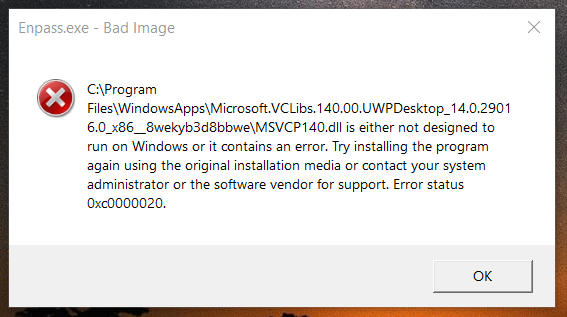
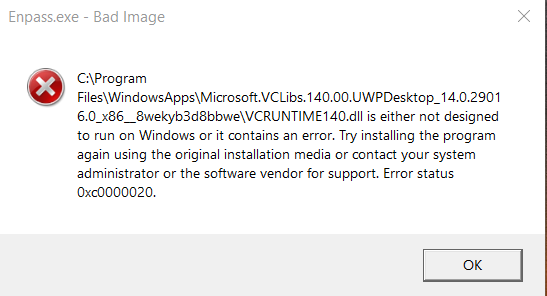
Hi Team! I am using Enpass windows 10 store edition and I am facing this error as soon as i start the application (attached screenshots). Windows 10 pro 1909 OS build 18363.959 The last windows update that I installed was KB4562900 and KB4565483 Am facing this issue in two different system. One common thing in both the system is I recently uninstalled mcafee antivirus.