


Tom12345
Members
-
Joined
-
Last visited
Everything posted by Tom12345
-
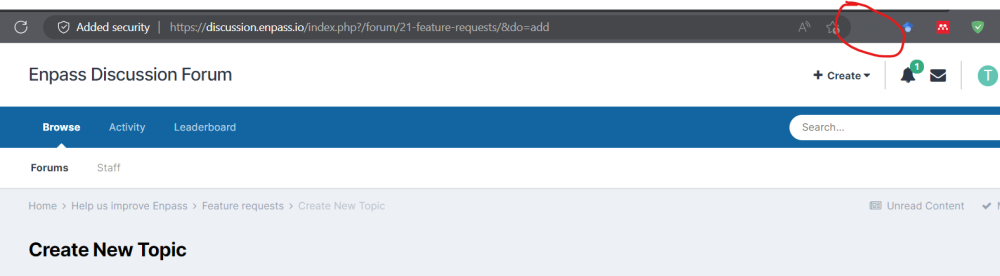
Hi, the MS Edge plug in colour is almost exactly the same as the colour of MS Edge dark mode. As such I cannot see the icon and can only click by knowing where it is (when I mouse over it the colour changes slightly and can be seen). Please either change the icon colour or give an option to change it to white, for example. Thank you
-
Please close this post. I resolved the problem. I was, of course, using the wrong master password
-
I recently upgraded Windows to the latest version and it broke my Enpass installation. I uninstalled the app and tried to install from Windows marketplace, this kept giving me an unknown error so I downloaded the 32-bit version from Enpass website and installed successfully. However, I am now no longer able to access my vault. I am confident that I know my master password but it is not being accepted (which now worries me that I do not know the password...) I have Enpass installed on my Android phone and on a 2nd Windows computer. Is there any way to access the master password from one of these devices or to download the database and install it in a new user account?
