simfin
Members
-
Joined
-
Last visited
-
I've been an EnPass (paid) use for years and it usually works well. However, in the last few weeks the browser extension functionality has become increasingly unstable on my Mac (Mac Mini M1, running latest OS 13.2.1) running latest versions of Chrome, Brave and Safari. It will start off working fine - but after a short while (often just 10 minutes or so) the extension shortcut in all browsers becomes unresponsive - if I click it, it says it's looking for Enpass - which is already open. This happens in all browsers. The only way to remedy the situation is to quit Enpass and open it again. But then the same thing happens 10 minutes later. It's becoming very frustrating. Please fix. Thank you.
-
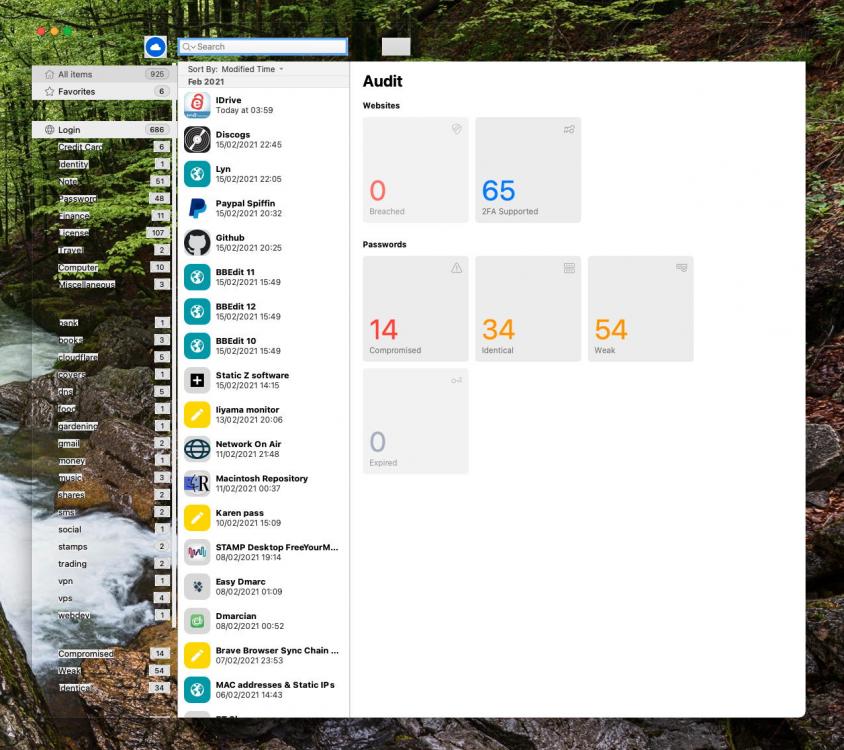
Hi. I've used Enpass very happily for a few years and have upgraded to Premium. I recently bought a new Mac Mini M1 (running Big Sur 11.2.1) and a very strange cosmetic issue has started to occur frequently only with Enpass. Part of the main window becomes transparent (and therefore difficult to read) - see the attached screenshot where you can see my desktop through parts of the Enpass window. If I quit and relaunch it's fine agin - but only for a while. Any suggestions as to what this might be? Thanks.