Skip to content
View in the app

A better way to browse. Learn more.

Enpass Discussion Forum

A full-screen app on your home screen with push notifications, badges and more.

To install this app on iOS and iPadOS
  1. Tap the Share icon in Safari
  2. Scroll the menu and tap Add to Home Screen.
  3. Tap Add in the top-right corner.
To install this app on Android
  1. Tap the 3-dot menu (⋮) in the top-right corner of the browser.
  2. Tap Add to Home screen or Install app.
  3. Confirm by tapping Install.

JSC

Members
  • Joined

  • Last visited

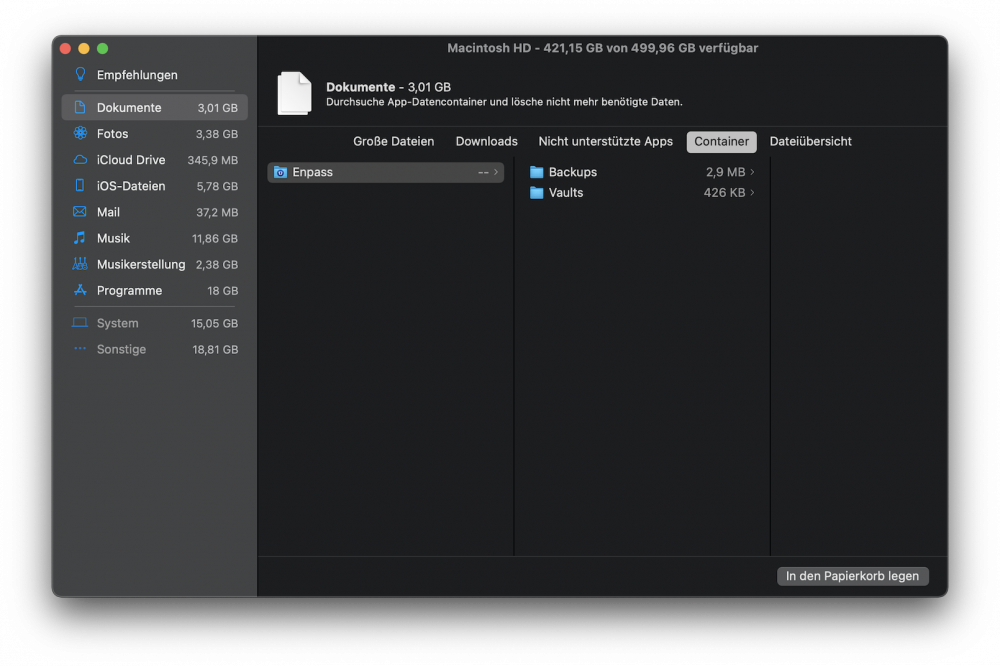
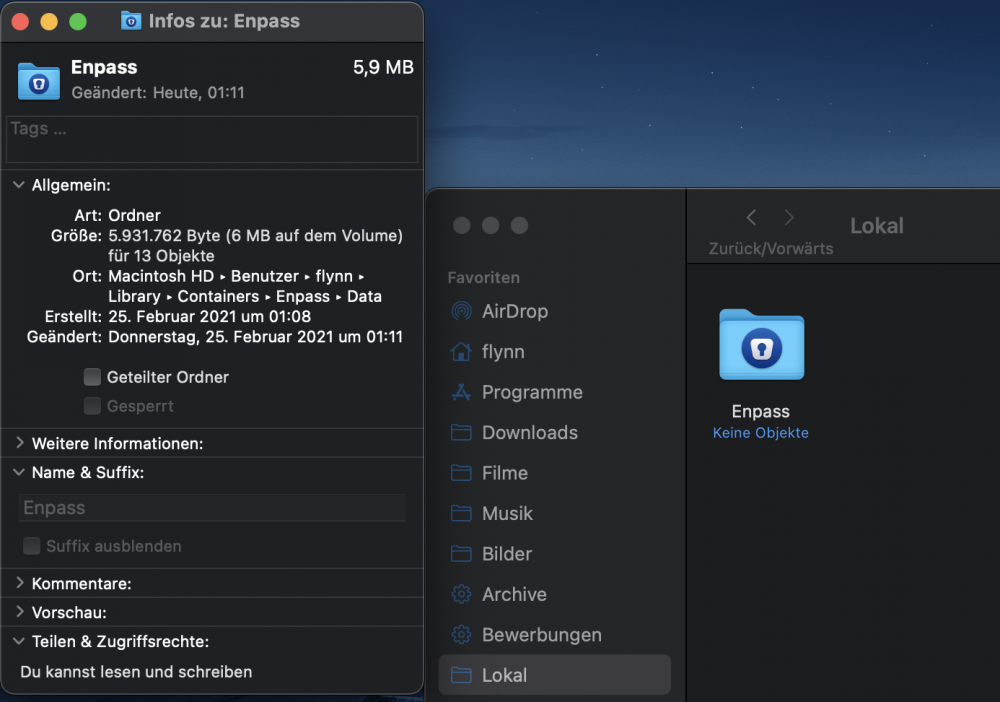
  1. Hi, guys! Since MacOS "BigSur" i noticed that Enpass's AppContainer ($HOME/Library/Containers/in.sinew.Enpass-Desktop/Data ,which stores the key vault and backups etc...) are marked "useless" and for deletion by MacOS's Systemprofilers suggestions to delete big/not often used files, which could be medium dangerous for your key vaults IF you follow it's suggestions blindly! Also for some reason the AppContainer shows up in the Finder's sidebar named "Local" !? I made backups of my vaults, deleted and reinstalled the app from the App-Store, but this issue is, for me at last, reproducable! I don't know if it's a bug in Enpass OR MacOS itself, but maybe you can figure it out! See attached pictures, please!
Account

Navigation

Search

Search

Configure browser push notifications

Chrome (Android)
  1. Tap the lock icon next to the address bar.
  2. Tap Permissions → Notifications.
  3. Adjust your preference.
Chrome (Desktop)
  1. Click the padlock icon in the address bar.
  2. Select Site settings.
  3. Find Notifications and adjust your preference.