


MarioP
Members
-
Joined
-
Last visited
-
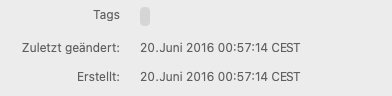
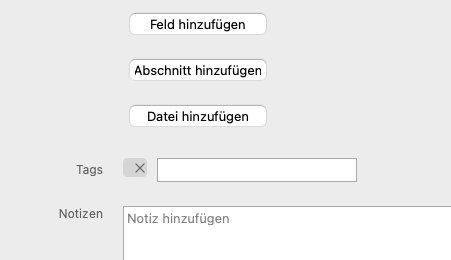
Hi @Garima Singh ! After introducing Vault in Enpass i started to use them and moved a lot of items into separate vaults. When browsing through the 'Tags' Section now i see a lot of the moved items in the original vault. When clicking on them it shows different symptoms like On Android it show that the item has been deleted and i should remove the shortcut from the Home Screen On MacOS, clicking the item, it just shows the Audit screen and no item details. On MacOS it also sometimes shows only the note field of the item details. The other Fields are gone. So it may not happen still when moving an item to a different vault, but it happened somewhen in the past and the database still contains corrupted entries. I also noted another Bug. Many of my items have an empty 'Tag'. It seems that original Tags got removed from Items and now remains as empty tags. Because looking at some original items (which were not deleted in original vault after moving) still Tags.
-
Hello ! I still have this problem. I'm using Enpass 6.6.2 (834) MacOS 6.6.7.510 Android On Android it show that the item has been deleted and i should remove the shortcut from the Home Screen On MacOS, clicking the item, it just shows the Audit screen and no item details.