

Skip to content
View in the app

A better way to browse. Learn more.

Enpass Discussion Forum

A full-screen app on your home screen with push notifications, badges and more.

To install this app on iOS and iPadOS
  1. Tap the Share icon in Safari
  2. Scroll the menu and tap Add to Home Screen.
  3. Tap Add in the top-right corner.
To install this app on Android
  1. Tap the 3-dot menu (⋮) in the top-right corner of the browser.
  2. Tap Add to Home screen or Install app.
  3. Confirm by tapping Install.

Christoph Sonnen

Members
  • Joined

  • Last visited

  1. Hi Community Last Update to this is a while back :-) It is still not working properly, actually I feel that ANY option to edit or create Webform entries is gone? This is seen with Enpass 6.8.5 (1238) version, localized to German. Am I the only one having that need / problem.
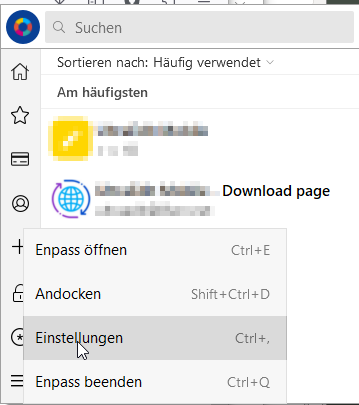
  2. Hello @Garima Singh if deleting and re-creating the webform is the recommended way, how is this done? I cannot find any documentation on this. I deleted an inaccurate webform, went to the site while enpass was unlocked and the plugin active, but I was not offered to update the existing entry (or its webform) Best wishes Christoph

Account

Navigation

Search

Search

Configure browser push notifications

Chrome (Android)
  1. Tap the lock icon next to the address bar.
  2. Tap Permissions → Notifications.
  3. Adjust your preference.
Chrome (Desktop)
  1. Click the padlock icon in the address bar.
  2. Select Site settings.
  3. Find Notifications and adjust your preference.