

Skip to content
View in the app

A better way to browse. Learn more.

Enpass Discussion Forum

A full-screen app on your home screen with push notifications, badges and more.

To install this app on iOS and iPadOS
  1. Tap the Share icon in Safari
  2. Scroll the menu and tap Add to Home Screen.
  3. Tap Add in the top-right corner.
To install this app on Android
  1. Tap the 3-dot menu (⋮) in the top-right corner of the browser.
  2. Tap Add to Home screen or Install app.
  3. Confirm by tapping Install.

Loco Sombra

Members
  • Joined

  • Last visited

Everything posted by Loco Sombra

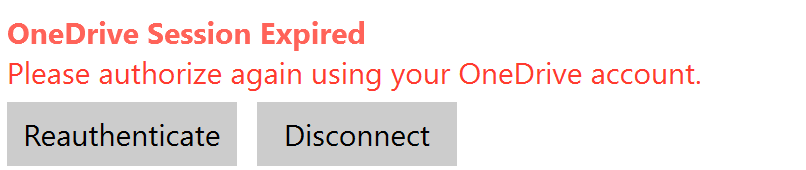
  1. Installing on Windows 11 home laptop. Stuck in loop authorising the vault on OneDrive. Go through the process, receive confirmation that the vault is set up ok, but then go and check and get the message 'OneDrive Session Expired'. Getting same message on Android phone - Galaxy S23 + What to do?
  2. I did miss something !! Tap on the vault icon in the search bar. - brings up a list of vaults How easy is that.
  3. Using version: 6.9.4.934 I've loaded a second vault onto Samsung android tablet. - I can see the vault name under Settings / Vaults - I can not see the contents How do I see the contents of the second vault? Tapping on the new vault Name / Vault Settings, only options that appear to be working is; - Edit name - Sync Now Have I missed something?
  4. Notch another one up. Same issue: 'Update Required' Looking forward to the final fix. Cheers.

Account

Navigation

Search

Search

Configure browser push notifications

Chrome (Android)
  1. Tap the lock icon next to the address bar.
  2. Tap Permissions → Notifications.
  3. Adjust your preference.
Chrome (Desktop)
  1. Click the padlock icon in the address bar.
  2. Select Site settings.
  3. Find Notifications and adjust your preference.