Skip to content
View in the app

A better way to browse. Learn more.

Enpass Discussion Forum

A full-screen app on your home screen with push notifications, badges and more.

To install this app on iOS and iPadOS
  1. Tap the Share icon in Safari
  2. Scroll the menu and tap Add to Home Screen.
  3. Tap Add in the top-right corner.
To install this app on Android
  1. Tap the 3-dot menu (โ‹ฎ) in the top-right corner of the browser.
  2. Tap Add to Home screen or Install app.
  3. Confirm by tapping Install.

Yazah

Members
  • Joined

  • Last visited

  1. OK, thank you. I will chase Apple
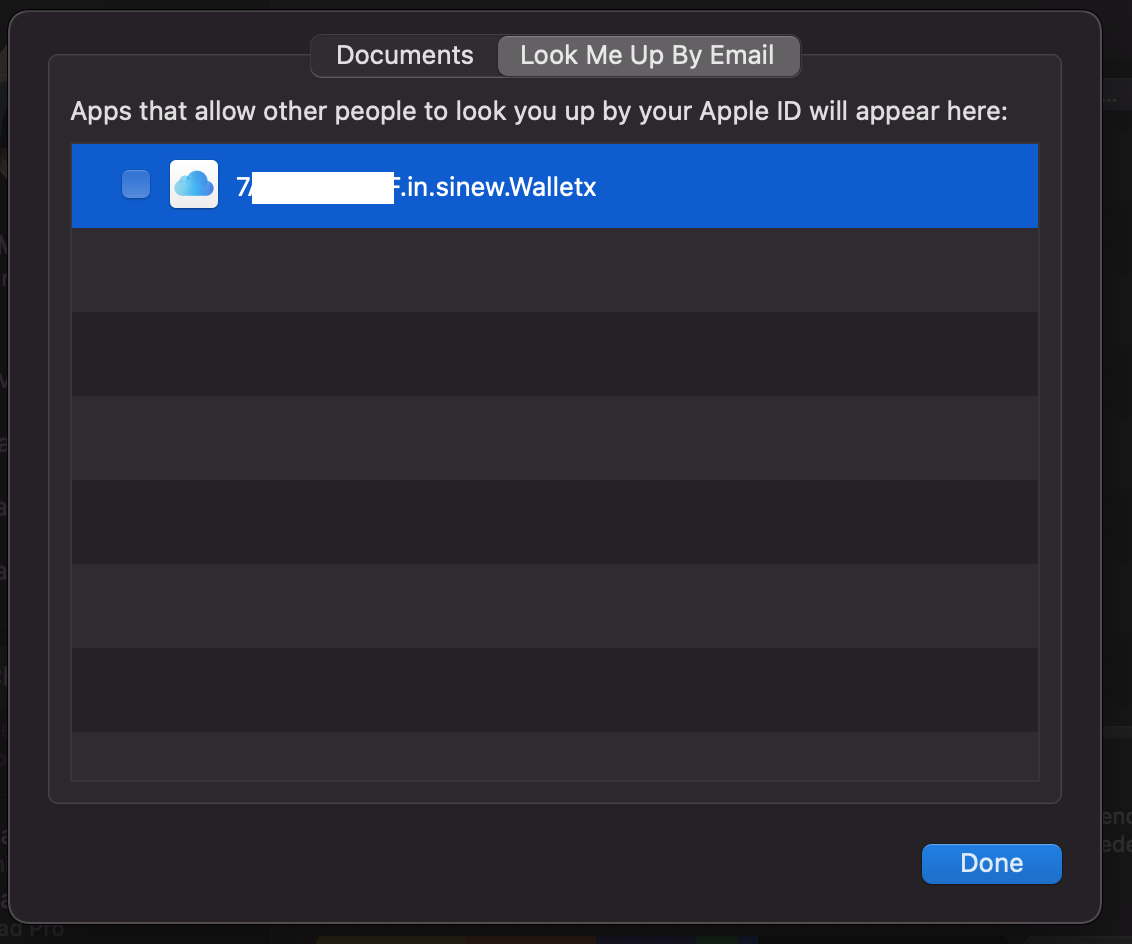
  2. Hi, probably about a year ago I briefly tried Enpass and then deleted it from my iPhone. And I've just noticed in iCloud that the 'Look Me Up By Email' element of the app still remains. I have tried using my Mac to delete the file from 'Mobile Documents' but it remains visible on icloud.com and sync's back on to my Mac when I switch WiFi back on. So basically the file is stuck in iCloud. I know with it being unticked that it isn't allowing anyone to look me up by email, but I would like to tidy up this left-over item please. (There is a possibility that I also tried the desktop (Mac) version of the app too as there were various files remaining in Containers and Cache's when I did a search)

Account

Navigation

Search

Search

Configure browser push notifications

Chrome (Android)
  1. Tap the lock icon next to the address bar.
  2. Tap Permissions โ†’ Notifications.
  3. Adjust your preference.
Chrome (Desktop)
  1. Click the padlock icon in the address bar.
  2. Select Site settings.
  3. Find Notifications and adjust your preference.