

Skip to content
View in the app

A better way to browse. Learn more.

Enpass Discussion Forum

A full-screen app on your home screen with push notifications, badges and more.

To install this app on iOS and iPadOS
  1. Tap the Share icon in Safari
  2. Scroll the menu and tap Add to Home Screen.
  3. Tap Add in the top-right corner.
To install this app on Android
  1. Tap the 3-dot menu (⋮) in the top-right corner of the browser.
  2. Tap Add to Home screen or Install app.
  3. Confirm by tapping Install.

TAA

Members
  • Joined

  • Last visited

  1. 返信ありがとうございます。 [システムの起動時に自動的に開く]と[ブラウザ拡張機能を有効にする]に設定されています。 再起動したら接続できるようになったのですが、正常に動作しないようです。 1.Windows10 Home 21H2 2.Enpass:6.7.4  EnpassExtension:6.7.4  Chrome:98.0.4758.102 Firefox:97.0.1 3.ChromeとFirefoxの両方で試しました。 Chromeでは入力欄のところにあるenpassのアイコンをクリックしても何も起こりません。 Firefoxでは入力欄のところに「Click to unlock Enpass」 と表示されるのですが、クリックしても何も起こりません。
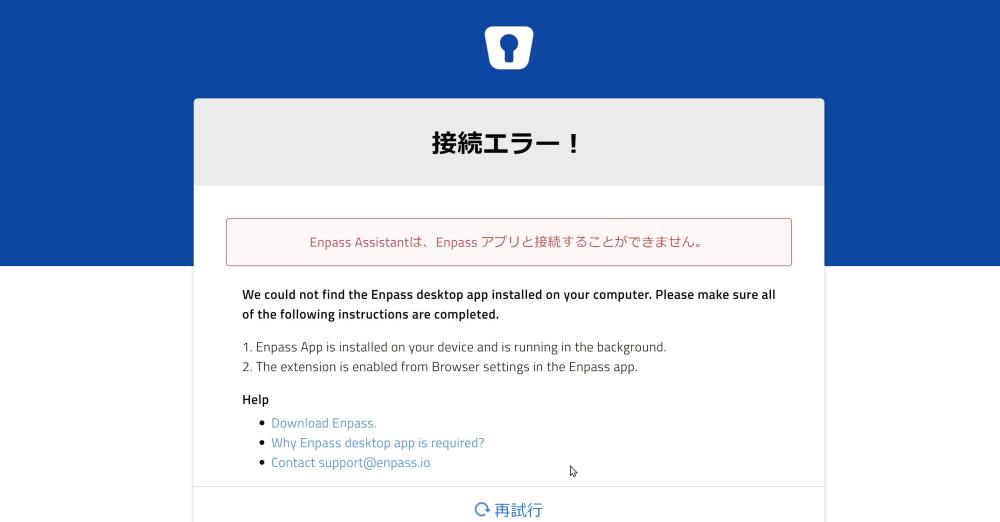
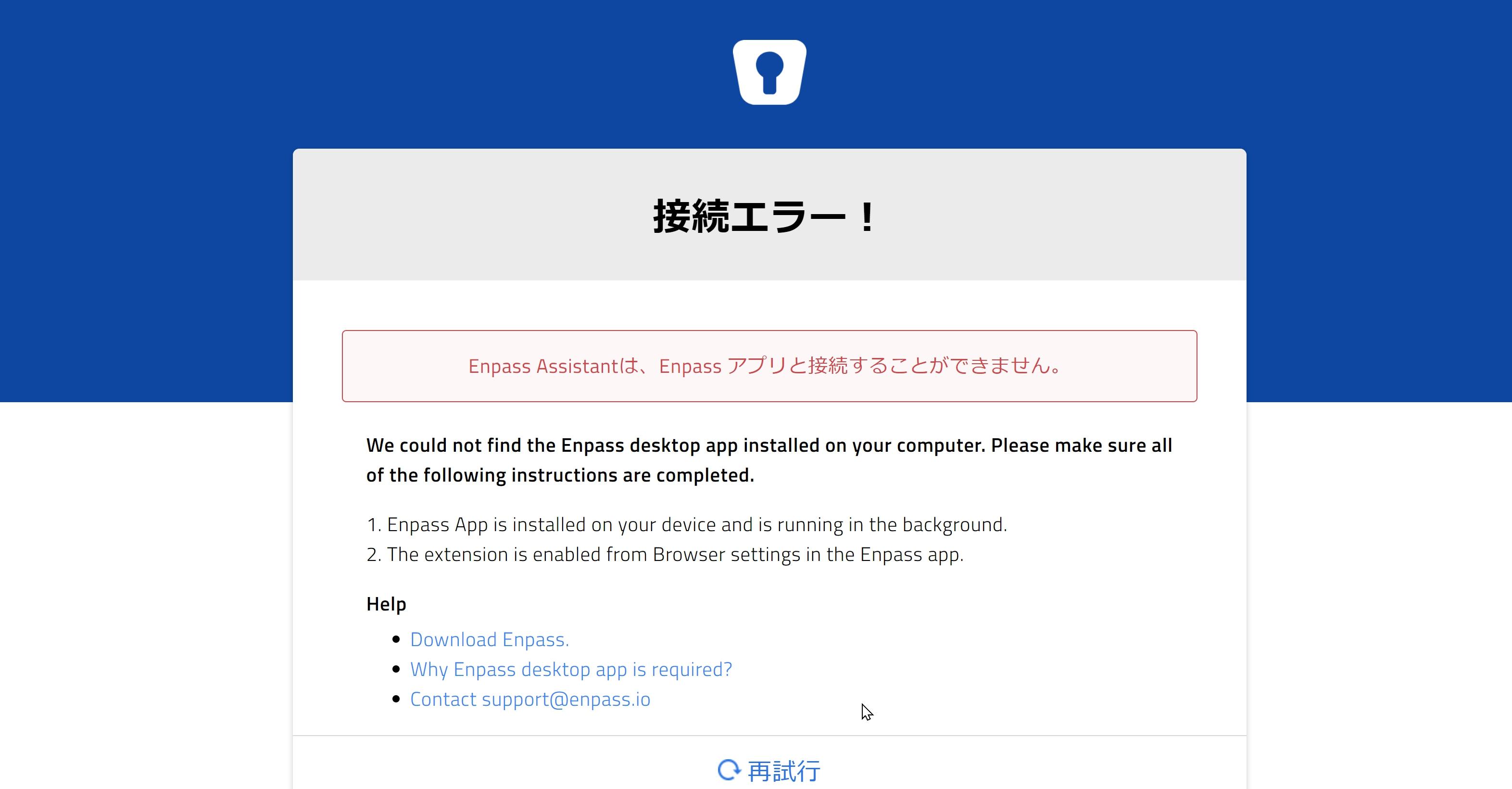
  2. ブラウザ拡張機能を使おうとすると、「接続エラー! Enpass Assistantは、Enpass アプリと接続することができません。」と出てきます。 デスクトップアプリは既にインストールしていますが、なぜでしょうか? ChromeとFirefoxの両方でこのようになりました。
Account

Navigation

Search

Search

Configure browser push notifications

Chrome (Android)
  1. Tap the lock icon next to the address bar.
  2. Tap Permissions → Notifications.
  3. Adjust your preference.
Chrome (Desktop)
  1. Click the padlock icon in the address bar.
  2. Select Site settings.
  3. Find Notifications and adjust your preference.