Mike007
Members
-
Joined
-
Last visited
-
I have to add a remark concerning the system environments, e.g. QT_AUTO_SCREEN_SCALE_FACTOR=0. Unfortunately, these will not work as a general setting because I detected that they affect other programs. In my case, the video communication software Alfaview. After setting the above-mentioned variable, Alfaview has scaling problems on the 4K display. As a result, I have to remove the setting again to let Alfaview to work correctly.
-
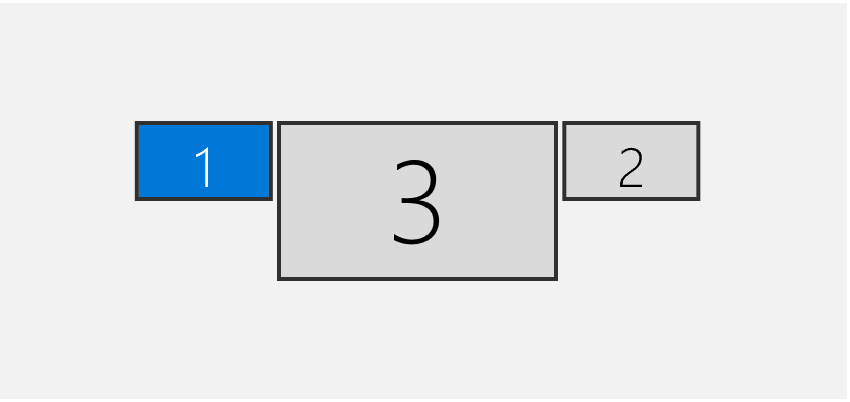
Hi Abhishek! Thank you for stretching out. Actually, I have the monitor setup shown in the attached image. Now, I tried a bit with the environment variables. Setting QT_AUTO_SCREEN_SCALE_FACTOR=0 results into a correct scale on screen 1 and 2, but into a 2 times too small dialogue on screen 3. Adding QT_SCREEN_SCALE_FACTORS=2 results into an Enpass dialogue of still wrong size (too small), but additionally it appears at wrong positions: not next to the icon, but in the middle of the browser screen (x-axes) or even on a different monitor at all. The same behavior happens when using a comma separated list of three values.
-
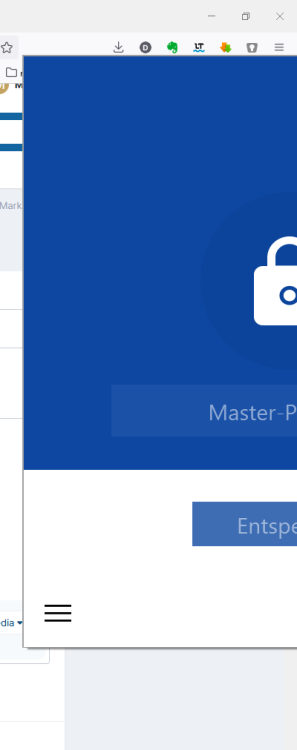
Hello, I have a three monitor setup (2 with HD and 1 with 4K - the 4K is the main screen). The browser window is on the HD monitor. When opening the Enpass app by pressing the button in the browser menu, the Enpass menu is poped up too big - see attached image. This behavior keeps all time it is used. One solution/workaround is to move the browser window to the main (4K) screen - now pop up works correctly. And then, moving it back to the HD screen - pop up keeps working correctly also here. It seems that the movement to different screens forces to pickup monitor resolution. It also seems that the resolution is not picked correctly from the active monitor when the application is opened from the first position/monitor. Enpass 6.7.4 (934) Firefox 98.0.1 Windows 10 21H2 19044