

Skip to content
View in the app

A better way to browse. Learn more.

Enpass Discussion Forum

A full-screen app on your home screen with push notifications, badges and more.

To install this app on iOS and iPadOS
  1. Tap the Share icon in Safari
  2. Scroll the menu and tap Add to Home Screen.
  3. Tap Add in the top-right corner.
To install this app on Android
  1. Tap the 3-dot menu (⋮) in the top-right corner of the browser.
  2. Tap Add to Home screen or Install app.
  3. Confirm by tapping Install.

Malte

Members
  • Joined

  • Last visited

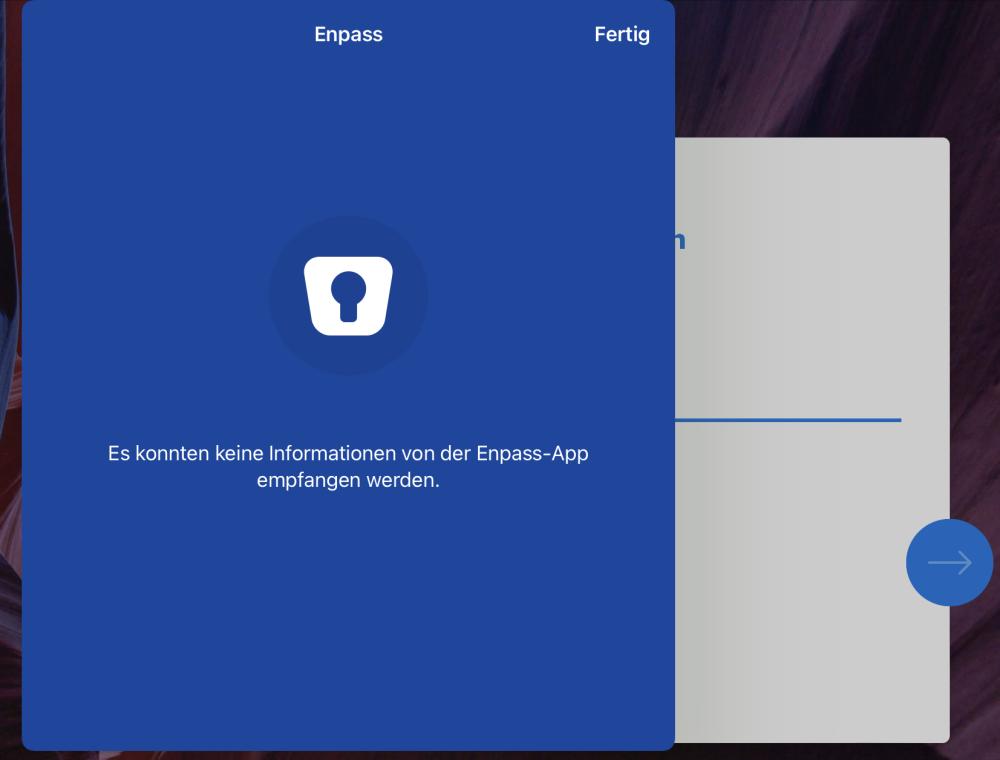
  1. Hi! As of this morning, I couldn’t get any password from Enpass in Safari. All software is on the latest version, but this message is everything I get, when trying to login into my Synology NAS, websites etc. I’m not totally sure about my translation of the message since I’m using the German version of Enpass. Restarting/resetting the iPad and restarting the app has been tried without success. I just now had the idea to change from FaceID to PIN login in Enpass and this finally solved the problem. Even switching back worked. Pretty strange error I think, since everything else related to FaceID worked fine the whole time. Maybe this can help someone running into the same problem with Enpass. Malte
Account

Navigation

Search

Search

Configure browser push notifications

Chrome (Android)
  1. Tap the lock icon next to the address bar.
  2. Tap Permissions → Notifications.
  3. Adjust your preference.
Chrome (Desktop)
  1. Click the padlock icon in the address bar.
  2. Select Site settings.
  3. Find Notifications and adjust your preference.