dimidrol
Members
-
Joined
-
Last visited
-
Well I went away from Enpass because of this issue, and migrated to open source alternatives by KeepassXC and Strongbox. it is ridiculous how long it takes without any progress
-
I am sorry to say that, but this issue (and the fact I already had to re-install the app and all my vaults last year) made me migrate away and stop using enpass
-
Hi @Abhishek Dewan so it happened again, after only 2 weeks working. Any suggestions? Or will „deleting vaults and configuring them again“ will be my new 2-week-routine? I would appreciate if you could pass it to 3rd level support
-
Yes it is really annoying to configurate the whole vaults, but at least it worked, thanks!
-
@Abhishek Dewan you can’t be serious that almost every solution is to reinstall the app. How about getting control over your software?
-
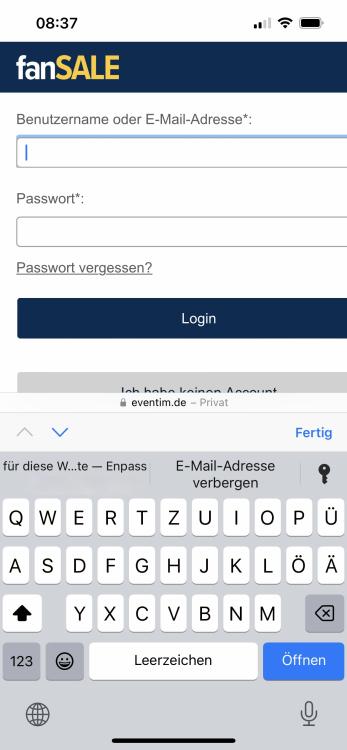
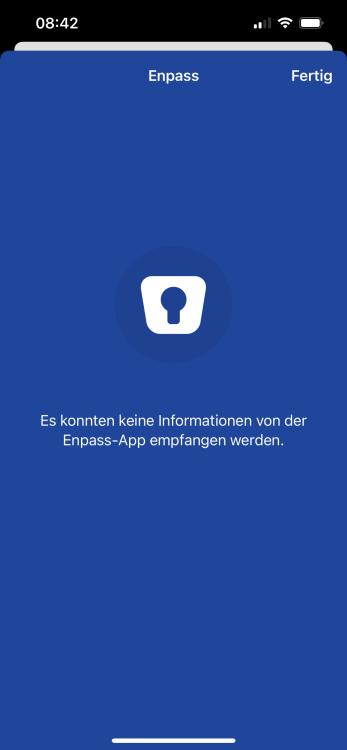
Hi guys, i am using enpass 6.8.5 on iOS 16.0 (20A362) on iPhone 13. Everything worked fine until maybe 12th of november - i didn't install any system updates, but app autoupdate feature is activated, so maybe enpass got updated. Anyways - autofill feature is broken. Enpass recognizes that there are entries in the vault: But as soon as i choose an entry, the screen turns grey-ish (because face id should be activated) - but nothing happens. If i change app and come back to safari there are entry suggestions there again - but it doesn't work. I have tried using PIN instead of Face ID - same result, on every website. If i choose the key symbol and choose "Enpass" so enpass would be opened - there is an enpass overlay with a message stating, that "no information could be received from the enpass app": Same blue overlay appears if i revoke and allow again, that enpass is allowed to autofill passwords in iOS settings. Please advice - and i hope for a better solution than "re-install app" Kind regards Dimitri