Slobino
Members
-
Joined
-
Last visited
Everything posted by Slobino
-
any update on this? (its a default feature on other password manager like strongbox)
-
Dear Enpass Support Team, Thank you for continuously improving Enpass—it's an essential tool I rely on daily. I'd like to suggest adding a feature to disable screenshots and screen recordings in your macOS app by leveraging the NSApplication.shared.isScreenCaptureEnabled property, available since macOS 11 (Big Sur). This feature significantly enhances security and privacy, especially when handling sensitive credentials. Competitors such as Strongbox have already integrated this functionality. Implementing this feature would further strengthen Enpass’s security positioning and offer peace of mind to your users. Thank you very much for considering this request—I look forward to your response. Best regards
-
-
+1 for this issue - it is very slow compared to other password manager on Mac OS (even on an M1)
-
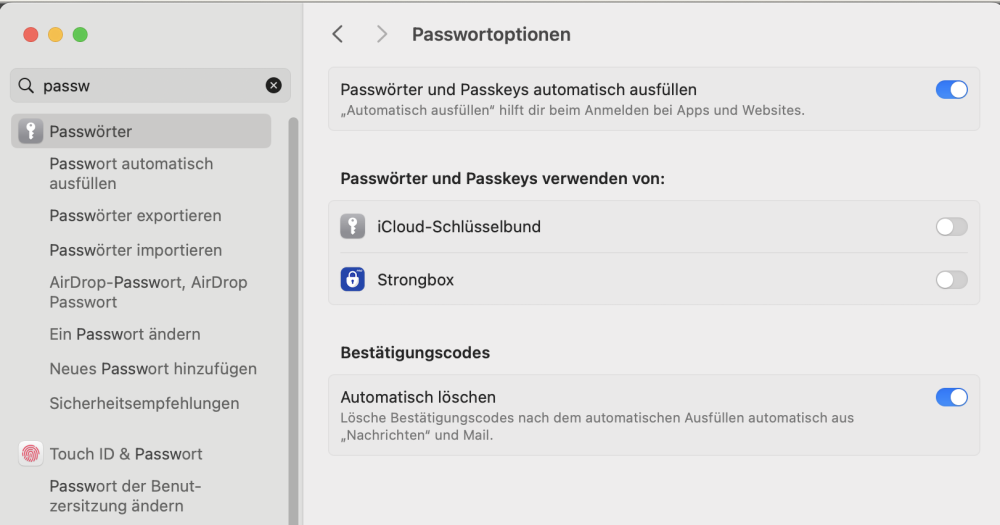
Strongbox is deeply integrated into the MacOS Password settings natively compared to Enpass! Would be great to get a draw here especially for Safari
-
Google deletes inactive accounts which didnt get a login for 2 years in a row: https://support.google.com/accounts/answer/12418290?hl=en It would be great to sort / see accounts in Enpass by last login date
-
Strongbox has a feature in the settings (-> Security & Privacy) to prevent screenshots from the Password Manager! Would be great to add this to Enpass, too
-
A lot of services like Google like to delete accounts without a login for 2 years. For that case: I would love to see a list in Enpass with accounts i havent used / logged in for more than x timespan!