


Morkafur
Members
-
Joined
-
Last visited
-
I wish I could help you but I had so many issues trying to get EnPass to work like I wanted I quickly gave up on it. Hope you resolve your issues soon.
-
I keep having this issue during my testing of Enpass. I setup enpass and that seems to work fine, but later when I restart it, I get the initial screen where I am asked how I will use enpass (personal or business). I ended up with three different enpass installations of the main vault. Enpass lets me enter items in which ever vault is "current" from the latest forced re-install but then later it seems to totally forget it's installed and wants me to go through the entire process again... ???? Not sure how this happens, but it doesn't seem enpass is going to work for me. Just too many issues (passkey not working as expected, for example). Thanks,
-
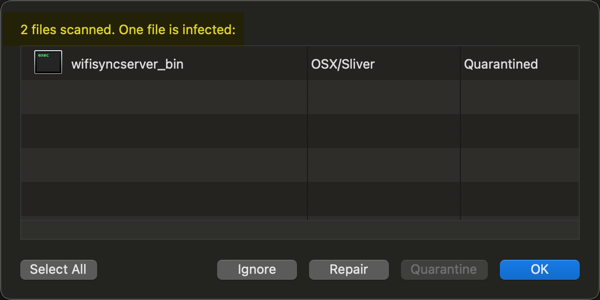
This could be a false positive, but my virus program detected your wifi sync file was infected.
-
This did work, but it seems that installing the browser extension overwrote my current enPass (testing only, thankfully) database. Thank you.
-
Yes, I used your site to set up passkeys before my posting but Passkeys really do not work as described. I tried to leave you a detailed description of what happens in Google above in my initial posting. I'm currently using the "free" version of enpass to get used to it (I really like the overall privacy aspects of it) so maybe I need to buy some version for Passkeys to work? Please advise.
-
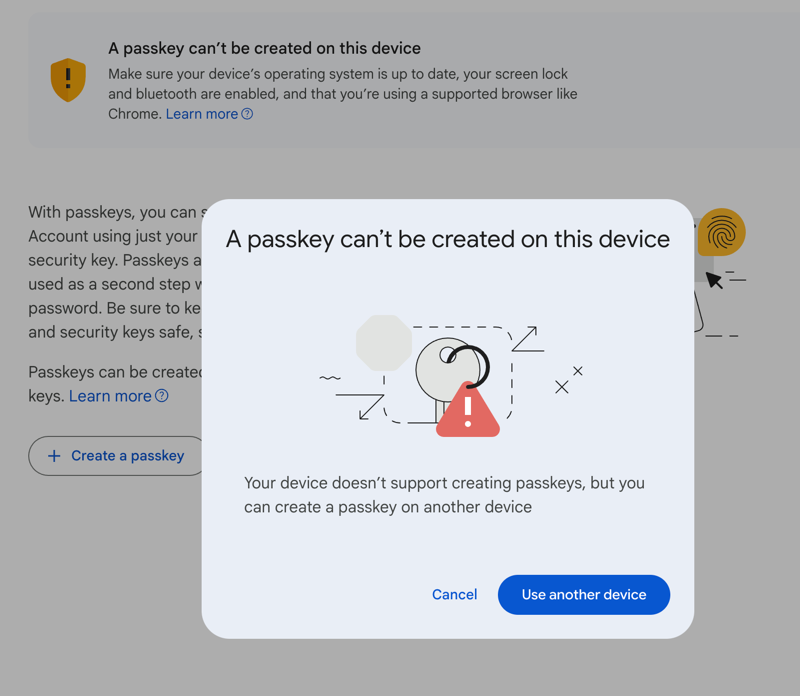
To test enpass (latest version), I created a passkey on Google.com. While I was connected to Google, the passkey seemed to work OK. But, when I closed the browser (Brave) and then relaunched it and tried to log into Google, Google had no idea about the passkey saved there. Thus, I was forced to enter a user name, password, and backup code. I tried this multiple times and always had the same issue. Below is a screenshot I got several times: I clicked "Use another device" and was prompted to save it to enpass. Yet, Google never came back (per enpass tutorial) to say a passkey was created, so this step also failed. With my current password manager, I have never had this issue. This is Mac only, I haven't gotten past these initial issues to move to iOS testing. Thanks for any suggestions,
-
I have a login that takes three fields: 1. User 2. Company ID 3. Password. With my current password manager, I can set up a field called "Company ID" (matches input field on HTML login form) and my current password manager will input all three fields automatically. Not sure how to get enpass to enter all three fields. I tried creating a Company ID field and even moving that field up with the password fields, but enpass does not enter the matching Company ID field. Can enpass enter more than just user and password? If not, would this feature ever be added? Thanks,