


zerohart
Members
-
Joined
-
Last visited
-
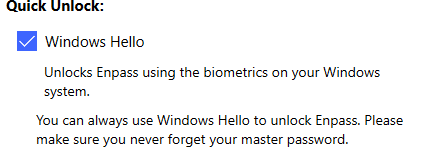
Ok I was able to fix it. GOing to leave this here, in case someone else has the same issue or if you guys can work around on identifying why it happens. I was going to reset my PC one more time, but I was offline, when doing so I got an error message saying I cannot reset because I was on a Windows To Go installation. Did a quick search on Google about that. To fix that issue I opened regedit then nagivate to HKEY_LOCAL_MACHINE\\SYSTEM\\CurrentControlSet\\Control, find and delete the PortableOperatingSystem and deleted the whole thing. Rebooted the PC and before I tried to reset again I opened Enpass, went to Settings, disabled WIndows Hello and when I clicked on enable again it worked hopefully this csan help anybody with the same issue in the future.
-
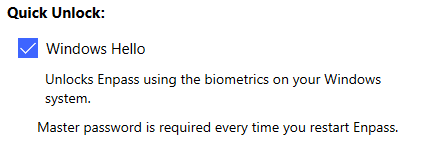
in my case I can enable WIndows Hello, but the option to use it for quick unlockl every time stopped working after the reset Now it ask for MasterPassword every time I log in instead of just the Hellow Pin Code
-
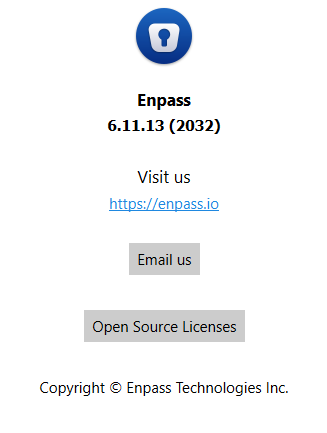
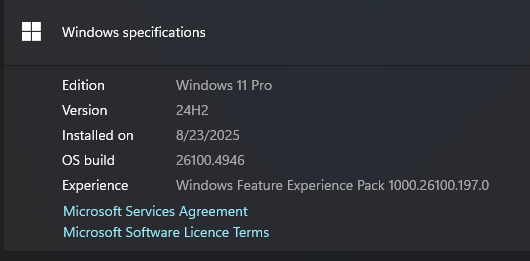
Hi, I have been using Enpass for years now and never had any issues that would make me create an account here, and yet here I am. Since WIndows Hello was added in Enpass I have used it to activate Enpass every single time. In my windows 11 installation as soon as I booted up if I wanted to use Enpass it would only ask for the WIndows Hello Pin and NOT the Master Password. It was amazing. Recently I reset my PC, installed everything I need and then downloaded Enpass from the WIndows Store. but for some weird reason the Windows Hello stopped working when I reboot, and now it always asks for Master Password. At first I thought it was that maybe I needed to clear the TPM keys, so I did so. I was using a local account, so I thought maybe the API checks if I have a Microsoft Online Account, so I converted my account to a Microsoft Account and still does not work. Cleared my TPM again after converting my local account to a Microsoft account. Still asks for Master password. I checked what is the API that enpass might be using from the Microsoft Store to use WIndows Hello, and it seems like it might be a legacy oine and enpass was never properly updated but I am not sure if that is the case. I reset my PC again, this time I did use my Microsoft account from the start instead of a Local account, but still I am having the same issue. It keeps asking Master Password everytime ENpass is closed or the PC reboots. Nothing in the hardware has changed, not even a mouse of keyboard. It is the exact same system that was working before the reset. TPM version 2.0