Skip to content
View in the app

A better way to browse. Learn more.

Enpass Discussion Forum

A full-screen app on your home screen with push notifications, badges and more.

To install this app on iOS and iPadOS
  1. Tap the Share icon in Safari
  2. Scroll the menu and tap Add to Home Screen.
  3. Tap Add in the top-right corner.
To install this app on Android
  1. Tap the 3-dot menu (⋮) in the top-right corner of the browser.
  2. Tap Add to Home screen or Install app.
  3. Confirm by tapping Install.

Sgerum

Members
  • Joined

  • Last visited

Everything posted by Sgerum

  1. Sgerum replied to Sgerum's topic in Desktop
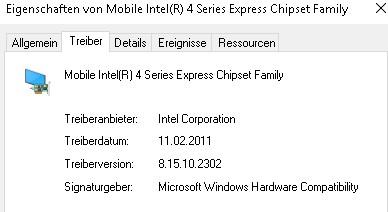
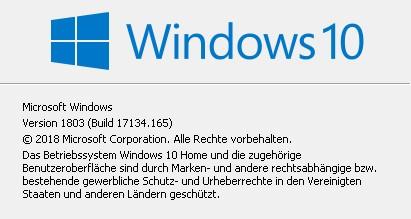
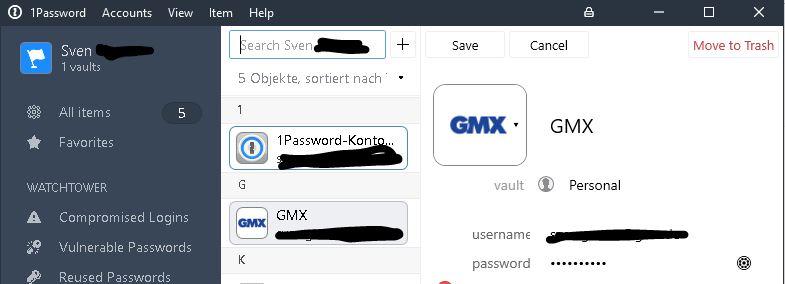
    Hi, in beta 3 the font looks good. This exists only in actual beta. Screen from beta 3. Here are the Windows version etc. There is no newer graphics driver. If my system is to old, enpass 6 is useless for me and i have to look for alternatives. Btw, my pc seems ok. Regards Sven
  2. Sgerum posted a topic in Desktop
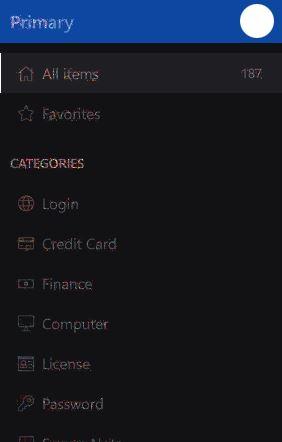
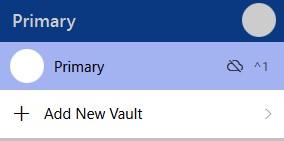
    Hi, whats that? Again no Icons and font looks not ok. Regards Sven
  3. Hi, it´s impossible to login at amazon in 1 step. There are two screens + TOTP. I have to choose keyboard shortcut 2 times to login. Hope you can fix it or is there a workaround? Regards, Sven
  4. Hi, it´s impossible to login at amazon in 1 step. There are two screens + TOTP. I have to choose keyboard shortcut 2 times to login. Hope you can fix it or is there a workaround? Regards, Sven
  5. Sgerum replied to Gilrich's topic in Desktop
    Same here
  6. Same here. I noticed the error after updating an existing entrie

Account

Navigation

Search

Search

Configure browser push notifications

Chrome (Android)
  1. Tap the lock icon next to the address bar.
  2. Tap Permissions → Notifications.
  3. Adjust your preference.
Chrome (Desktop)
  1. Click the padlock icon in the address bar.
  2. Select Site settings.
  3. Find Notifications and adjust your preference.