Marco 15
Members
-
Joined
-
Last visited
Everything posted by Marco 15
-
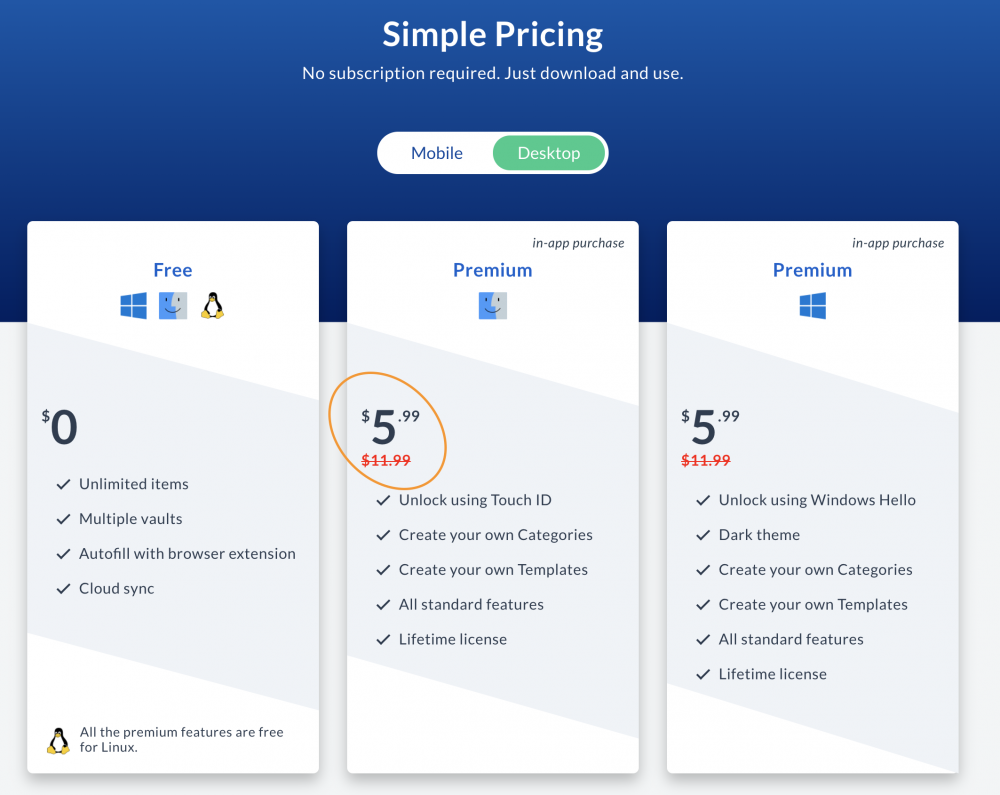
The pricing page says that the mac desktop version is 5.99$ but when I try to update it tries to charge me 6.99€. Can you please fix this? I'd like to be able to pay my second-lifetime license.
-
@Anshu kumar does the new version of enpass fix this? Is there a way to try it without paying my second-lifetime license?
-
Hi @Anshu kumar, is there any news on this one? Thanks, Marco
-
Hi @Anshu kumar, when can I expect the next major release? Is there a beta program I can join to have that sooner? Thanks, Marco
-
I always use the global shortcut to get EnPass fill my login information. When the store is locked and I want to use the fingerprint to unlock it I have to use the mouse to click the little fingerprint icon and then I can go back to my keyboard to unlock using the fingerprint. It would be amazing if there was a shortcut to avoid having to click that button or even better the fingerprint reading was enabled as soon as the unlock dialog shows up. Thanks, Marco