


eddie irvine
Members
-
Joined
-
Last visited
-
Switched to Bitwarden now, because it works without any issue... Support is really poor for Enpass.
-
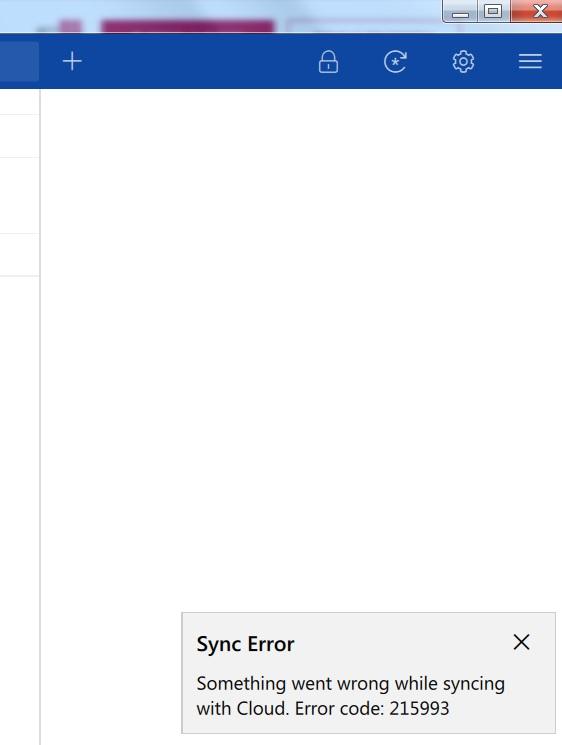
Hi there, I'm getting reoccurring sync errors (both in my private LAN and at work). I've tried to sync via WebDAV on my private RasPi. With version 5 that worked flawlessly. But since version 6 I'm was always facing troubles. So I decided to switch to DropBox. But there I'm facing the same issue! From time to time I get the following error (see screenshot): Sync error. Something went wrong while syncing with cloud. Error code: 215993 Then I need to stop Enpass via Windows task manager and restart the application. Most of the times it works afterwards, but I need then to change back the former security settings (add PIN etc.). And I also need to validate again my browser extension. It's quite an annoying issue and I can't imagine that I'm the only one facing it. Thanks in advance.
-
Hi there, I'm using a LG G6 with Android O installed. I use the Android O autofill feature with Enpass 5.6.8. When I enter a website (e.g. https://signin.ebay.de/ws/eBayISAPI.dll with Firefox Focus), I can choose "Autofill with Enpass", But afterwards it always shows "autofill_matching_title_found", although I have a login stored exactly for this address. If I do the same with the Enpass Browser it works. What could be the reason why it never finds the correct stored login? Thanks in advance!
