


michelm
Members
-
Joined
-
Last visited
-
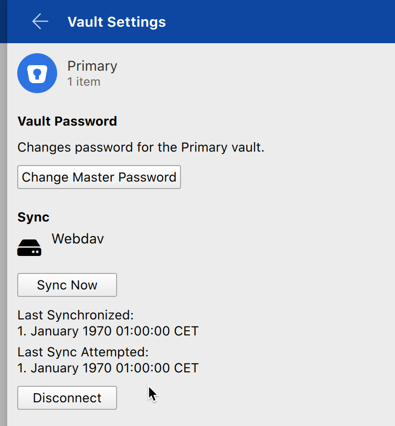
Hi, I'm trying to setup the Sync with WEBDAV. But it's not working ... I'm using Enpass 6.0.0 (187) Beta on Mac OSX. I checked that the WebDAV is working using Mac Finder and entered the url: https .... PORT(5006)/media and I was able to connect to my folders. When entering the same URL and user/pw into Enpass it tries to sync but then I get a failure: Error -102. (I checked the box to ignore SSL certificate validation, even if the validation should be fine as the cert is issued by Let's Encrypt). If I go for http instead https it's working fine using the same URL schema: http .... PORT(5005)/media. Also interesting is that the sync time is listed as year 1970 (see screenshot) for the http sync. This could cause the issue for certificate validation? Sidenote: on Enpass 5.6.11 it's working also fine even with https url. So, it's only a beta bug! Regards, Michel
-
Moved topic to BETA Bugs: Discussed here