JNiemi
Members
-
Joined
-
Last visited
-
Hi, I changed password 33 characters long and 25th and 26th were numbers and everything works just fine.
-
Hi, Im using traditional Win 32 version 6.5.1 Only special characters are: - and ! After posting here, I did reinstall Enpass but still same problem "wrong master password". When installation asks password for syncing from Google Drive it works, but soon I click open and program ask password it wont accept it. Thank You in Advance.
-
Hi, Im using Enpass for Modern Windows, not loaded from store. When I try to open windows client it wont accept 29 letters long master password. All the other client will accept but windows client says wrong password. I have tried to write it down in notepad in clear so i know it is 100% right one and copy paste -> not working. How to solve this. Windows client stop writing letters after 25 letters, have I missed some trammels for masterpassword lenght?
-
Got it working, it was just database corruption. Mr. Anshu kumar solve problem and did suggest next procedure; Step 1: Turn off the sync from all devices. Login into Google Drive in any Browser--> Open Enpass Folder --> Select Sync_default.walletx file --> Rename it as oldSync_default.walletx. Now open Enpass on your Windows PC and sync with Google Drive. Step 2: After successfully completing the above steps please perform these steps on the Android device. Uninstall Enpass from Android device. NOTE: Before uninstalling the app make sure you already got the backup of Enpass data. Install it again and restore the database from the Google Drive. Now perform the same steps which cause the app to crash and share your feedback. After these steps my Enpass works like a dream. Thank You
-
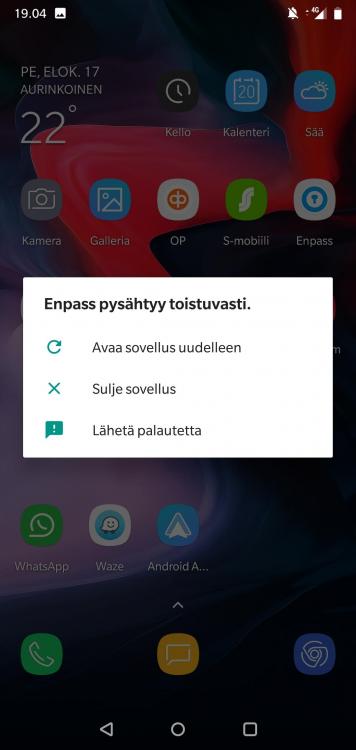
Hi, I primary use Google Cloud but I did test with microsoft and dropbox amd it have same problem. When I put phone on 'Airplane Mode' and delete item it does work, but soon I go back with Mobile data or Wifi Enpass crash. BTW Thank you for really fast replying.
-
Hi, Im using version 5.6.8, and it crash only if delete item. When it crash after delete of item I just dicovered that it wont accept fingerprint only way to get in is give masterpassword and after I log in it takes 10-20 seconds and Enpass crash. When it crash it wo t show any error numbers or codes just say Enpass has crashed and have two buttons OK and Send Feedback to developer. Im usin Enpass with Windows 10 and it works fine too.
-
I have problem that enpass crash as soon as I delete one (no matter of what) saved password. I have tried to clear cache, no help. I have uninstall it and install again, no help. I dont have set google backup that restore app when installed. As long I dont delete anything from it, it works fine. Im using OnePlus 6, Android 8.1.0, OxygenOS 5.1.9, not rooted or modded os.