

Skip to content
View in the app

A better way to browse. Learn more.

Enpass Discussion Forum

A full-screen app on your home screen with push notifications, badges and more.

To install this app on iOS and iPadOS
  1. Tap the Share icon in Safari
  2. Scroll the menu and tap Add to Home Screen.
  3. Tap Add in the top-right corner.
To install this app on Android
  1. Tap the 3-dot menu (⋮) in the top-right corner of the browser.
  2. Tap Add to Home screen or Install app.
  3. Confirm by tapping Install.

Dennis

Members
  • Joined

  • Last visited

  1. Dennis posted a topic in Mac
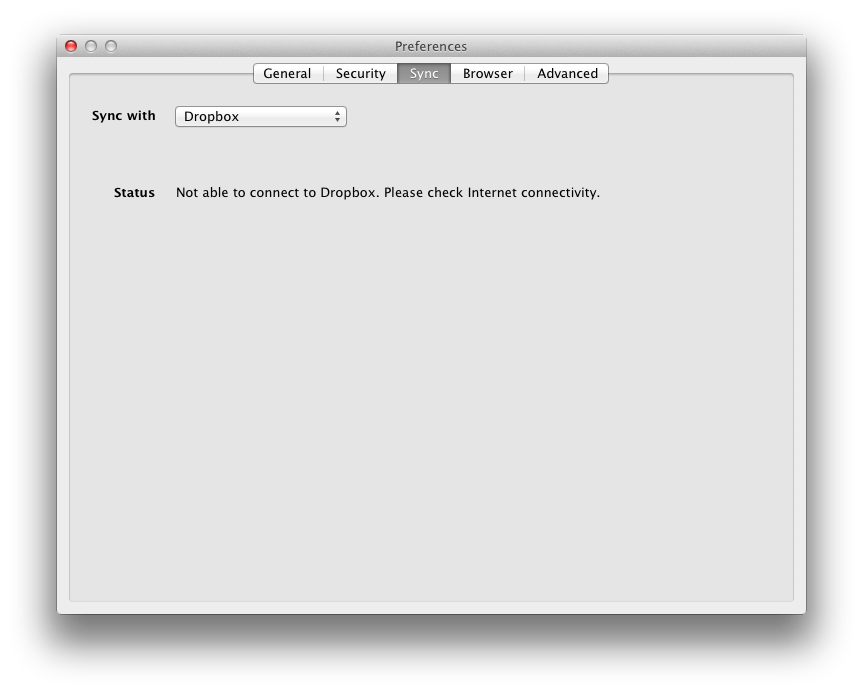
    Hi, I'm trying to setup sync with enpass on my mac 10.7.5 laptop. After succesfully authorizing enpass to my dropbox (Authorization Finished Please continue with Enpass application.) I get the following error: Not able to connect to Dropbox. Please check internet connectivity. My internet connection is most definitely up, tried with and without firewalls, multiple browsers, also both enpass connections settings ('No proxy server and 'system proxy server'). Even tried the same with box.com All without success... any pointers would be great!
Account

Navigation

Search

Search

Configure browser push notifications

Chrome (Android)
  1. Tap the lock icon next to the address bar.
  2. Tap Permissions → Notifications.
  3. Adjust your preference.
Chrome (Desktop)
  1. Click the padlock icon in the address bar.
  2. Select Site settings.
  3. Find Notifications and adjust your preference.