sandrini
Members
-
Joined
-
Last visited
Everything posted by sandrini
-
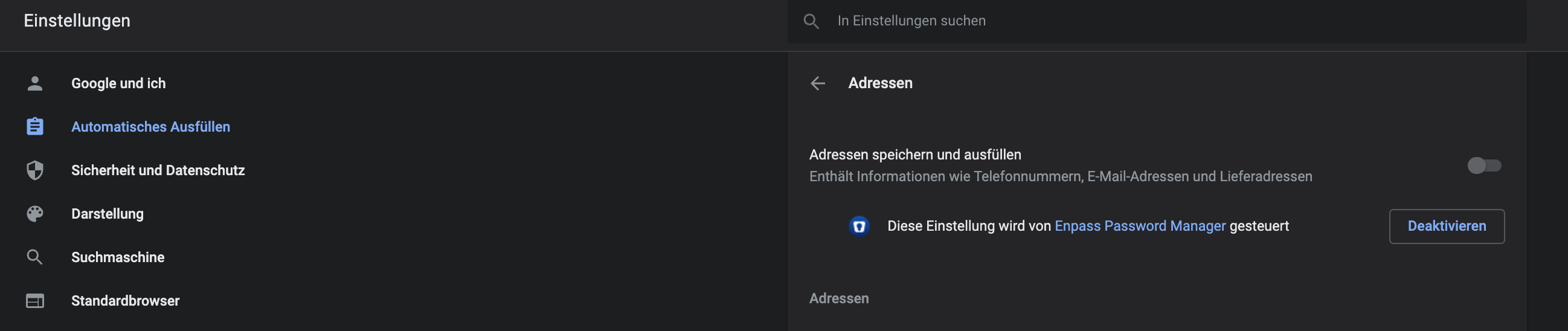
Has this issue also something to do with the case that Enpass is blocking now completely e.g. my input of addresses via google chrome ? I have to fill out some forms and usually i always got the chrome proposals e.g. mail , name, phone, street, etc. Currently i am not getting this - in the chrome settings it says that Enpass is managing this. If i turn enpass off - google popup will work for e.g. addresses. If i turn Enpass on - its not working anymore
-
No idea what is happening. On my Pixel 5 / Android 11 i have to disable the Enpass Autofill opitions within the App otherwise i cant take screenshots from my screen - in the editing mode the Google Screenshot App just crashes. (So Enpass Autofill needs to be disabled). Can somebody fix that behaviour ?
-
Hello Enpass Team, I am also one of the first users of Enpass. However Enpass is currently the only one Programm that really drives me crazy after every single restart. I mean - i am really that far that i will change soon to a different password manager - even having the life pass. HOW CAN WE/YOU MAKE THE ENPASS NOT POPING OUT EVERY TIME AFTER RESTART ? That is really so annyoying on MAC. Every Day i see Enpass poping out remindes me to change the service. Please get that fixed.
-
I loved in the last Version the ability to change this to Black or White as well. Now i have only the blue icon next to the white ones :( Dont like that to be honest. Clean look would be great or the possibility to change the colors as in the last version.