Skip to content
View in the app

A better way to browse. Learn more.

Enpass Discussion Forum

A full-screen app on your home screen with push notifications, badges and more.

To install this app on iOS and iPadOS
  1. Tap the Share icon in Safari
  2. Scroll the menu and tap Add to Home Screen.
  3. Tap Add in the top-right corner.
To install this app on Android
  1. Tap the 3-dot menu (⋮) in the top-right corner of the browser.
  2. Tap Add to Home screen or Install app.
  3. Confirm by tapping Install.

Antonio Vasconcelos

Members
  • Joined

  • Last visited

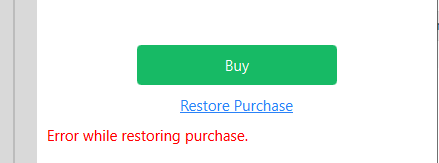
  1. It's very simple people. Report the app via Microsoft Store and lower the rating of the app. #done @Vinod Kumar, your answer to me was the last drop. I've been following Enpass development since 2015 (bought Pro while using Windows 10 Mobile) and the amount of excuses and issues with both Windows Hello for Business and now (with version 6) the Restore Purchase is just staggering. In the end, it's all a question of expectation management, which the Enpass team haven't done properly. Not to mention the SNAFU with the UWP and Bridge app, plus Edge extensions... I wish you all a good riddance... I'm out!
  2. In my case, icons are not present: And cannot activate Pro functionality: Thanks, Anthonws.

Account

Navigation

Search

Search

Configure browser push notifications

Chrome (Android)
  1. Tap the lock icon next to the address bar.
  2. Tap Permissions → Notifications.
  3. Adjust your preference.
Chrome (Desktop)
  1. Click the padlock icon in the address bar.
  2. Select Site settings.
  3. Find Notifications and adjust your preference.