Gizzy
Members
-
Joined
-
Last visited
Everything posted by Gizzy
-
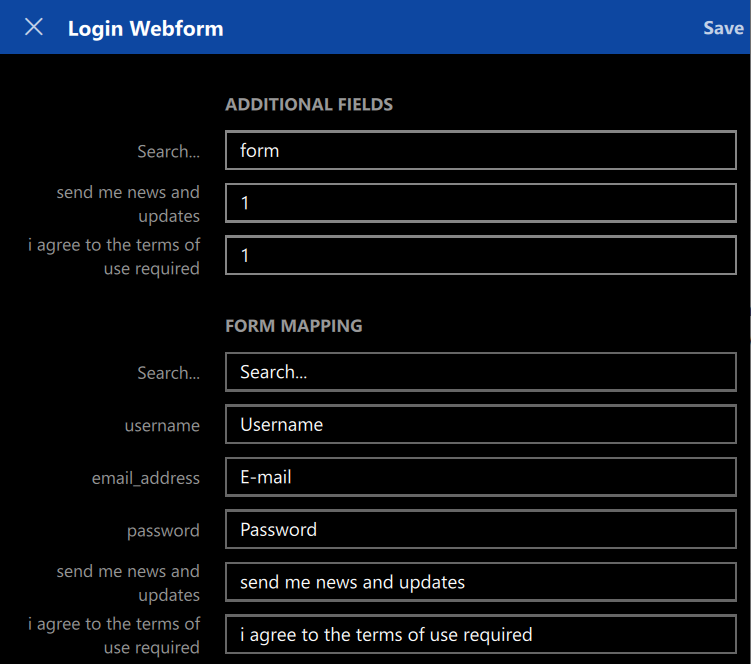
Hi, I recently dropped Lastpass in favor of Enpass 6, and so far I'm loving it. However a feature that can be improved, especially for power users, is the webform mapping screen. I am currently using the Windows 10 version and the relationships between form fields and enpass items seem to be read-only (apart from selecting a item field to map to) and can only be captured by browser extensions. A lot of those fields are required during sign-up, but not for further logins. I would like to have the ability to manually edit the webform mappings. Specifically, I would like to: Create webform mappings for manually created enpass items / logins Rename form field ids Add or remove form fields Add or remove "additional fields" Note: this could also be used to map TOTP fields to the webform, as also requested here