


Sandzhaj
Members
-
Joined
-
Last visited
Everything posted by Sandzhaj
-
-
Hi, @Kashish Yandex Browser v 19.12.3.320 Enpass 6.3.3 Actually no, it's windows fresh install and that is the only browser i installed. But i use enpass also on linux with firefox - no problem there. Authorize Browsers With Verified Code Signatures Only - enabled Ask for Browser Authorization Every Time - disabled I disabled the first point and nothing changed. It is still asking for entering key for connect Thanks
-
I have a strange behavior - every time i close my browser (chrome-based) and launch it again, enpass extension asks me to enter the code (for linking browser with enpass). And in Enpass app i found the button "Review Browsers". And there was a list of maybe 10 "browsers", but they are the same application
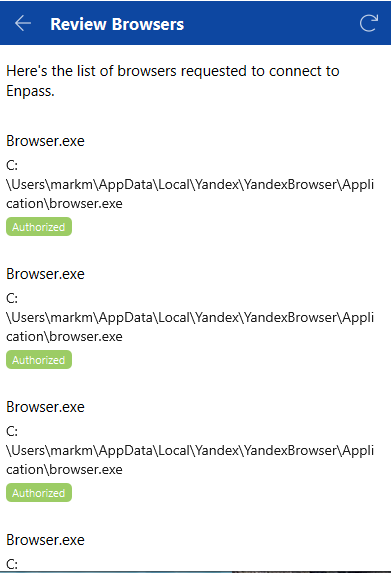
-
I have a similar problem. Every time i installing enpass from my personal account (where i boughth pro version), enpass always suggests me to buy pro version from another (work) account. BUT when i delete my secondary account, after reinstalling enpass i recieve an error while trying unlocking pro version "You have already paid the premium version". And one more popup with this "Error while purchasing Enpass. Responce code 7". So, i have no chanse to use my enpass pro, no matter i have one google account or two.