

Skip to content
View in the app

A better way to browse. Learn more.

Enpass Discussion Forum

A full-screen app on your home screen with push notifications, badges and more.

To install this app on iOS and iPadOS
  1. Tap the Share icon in Safari
  2. Scroll the menu and tap Add to Home Screen.
  3. Tap Add in the top-right corner.
To install this app on Android
  1. Tap the 3-dot menu (⋮) in the top-right corner of the browser.
  2. Tap Add to Home screen or Install app.
  3. Confirm by tapping Install.

whyohwhy

Members
  • Joined

  • Last visited

  1. whyohwhy replied to AndyMac's topic in Windows
    Hi David Were you able to use an old backup to get it up and running again? regards
  2. whyohwhy replied to AndyMac's topic in Windows
    Hi Vinod So how did the discussion go? Please be aware that many of us disheartened Windows Phone users will be unlikely to use Enpass in the future if we are left burnt. regards
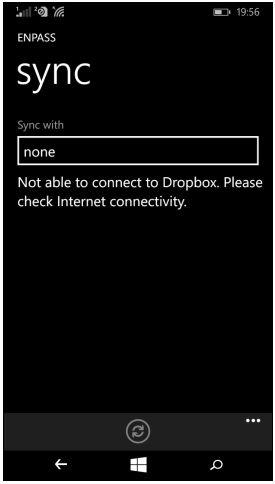
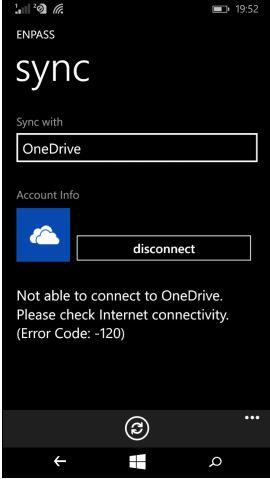
  3. Come on Enpass how about an answer? I also am having this problem. My desktop versions are version 5, so why can't I sync? It is not just one cloud provider, as I tried on OneDrive and Dropbox without success
Account

Navigation

Search

Search

Configure browser push notifications

Chrome (Android)
  1. Tap the lock icon next to the address bar.
  2. Tap Permissions → Notifications.
  3. Adjust your preference.
Chrome (Desktop)
  1. Click the padlock icon in the address bar.
  2. Select Site settings.
  3. Find Notifications and adjust your preference.