


Guno
Members
-
Joined
-
Last visited
Everything posted by Guno
-
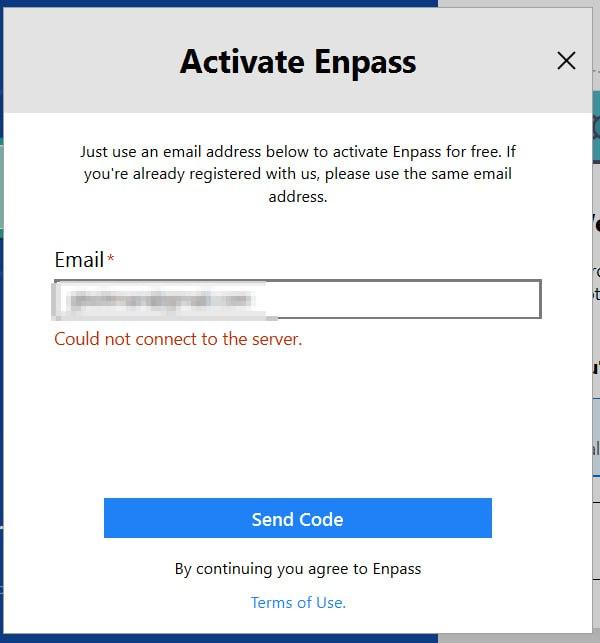
Thanks. But how about the 'Activate Enpass' dialogue? It seems I cannot get past this dialogue because it can't connect to some server (an Enpass server, I presume). Because of that, I can't use Enpass at all on that machine. My question is thus: can I do this activation step offline in some way? Thanks, Guno
-
Hello, Enpass (desktop) sometimes asks me to reauthenticate (Session Expired dialogue). Is it possible to do this offline? One of my machines has restricted network access, i.e. it cannot connect to Enpass' servers to perform this authentication. I would like to use Enpass on this machine, but this (re)authentication dialogue is preventing me from doing so. Is it possible to do this offline somehow? If not, is this a feature you would be willing to add? Would be very welcome for offline Enpass users. thanks, Guno
-
-
Good day, On my Linux (Manjaro/XFCE) desktop, the main Enpass (6.3.3) main window is always on top of other windows. I find this quite annoying, and I'm wondering if there is a way to stop this (cannot find any setting for that). To be clear: I'm not talking about the assistant here, but the main window. Anyone knows if there is a way to stop the main window from being always on top? Thanks, Guno
-
Hello @Garima Singh, Yes, the problem still persists in recent versions. I cannot enter more than about 20kb of text in the Notes field. Not on the Linux app v6.3.3 (601), and not on the Android app v6.4.5.368. Back in version 5, this was possible. Bye, Guno
-
Hi @Anshu kumar, Do you know if this is something that will be looked in to? Thanks, Guno
-
Hi @Anshu kumar, Got some news for this one? Thanks, Guno
-
Hi @Anshu kumar, Just tried with 6.1.0 (407) on Linux; Looks like the max length of a note is about 20 kb. I've got some notes that are larger than that (added with v5), but I cannot really edit them anymore in v6 because the text doesn't fit in the input field. Not sure what the max length of a note used to be in v5, but imho it should be at least the same in v6. regards, Guno
-
Hi Anshu, Any news on this issue or indication of when it will be fixed? Thanks, Guno